Making bowls in PSP6
With all the new plugins basic to PSP6 it is possible to make a bowl just using PSP and no external filters.
This tutorial assumes that you are familiar with shapes, selections, layers.
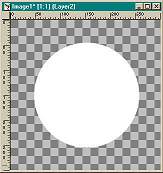
Open a new image 300x300, background transparent.Add a layer .On your tool bar select preset shapes, filled, and starting at center of your image draw a circle.
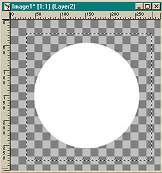
using the rectangle selection tool draw a rectangle around your circle and click in the center to select.
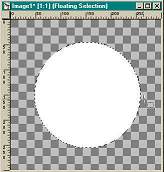
for this one we are going to do a linear gradient flood fill, black and white.
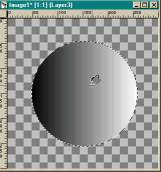
Again add a new layer, go to preset shapes, filled and select eclipse, make white as your foreground color. move the eclipse until it fits side to side on your circle.
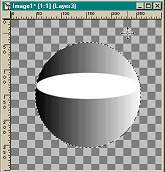
Now comes the fun part. click on the circle layer. using your eraser you are going to erase the top part of the bowl down to the eclipse selection.
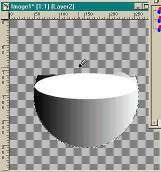
Once your bowl is cleaned and making sure you are on the bowl layer, which should be layer 2, go up to Image > Effects > Inner Bevel and use these settings or settings of your own.
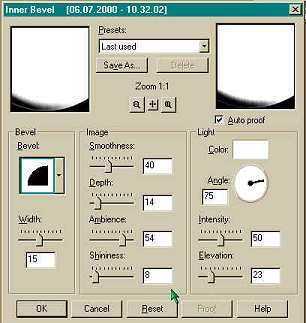
this is the end result of the bevel
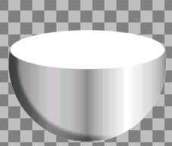
At this point you can either leave as is or if you want to add some depth to the bowl, click on layer 3, which should be the eclipse layer. select the white and flood fill with a sunburst gradient.
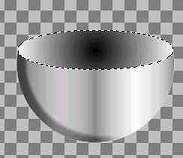
now if you want you can change the focus of the gradient. click on layers, new adjustment layers, curves.
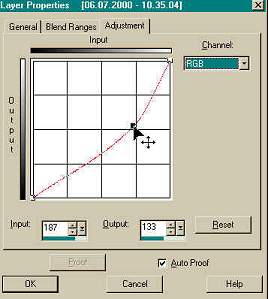
try to line it up next to your picture as you move the curves around. When is shows how you want it to look click ok.
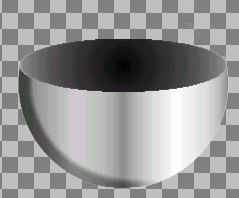
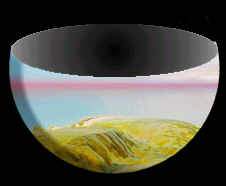
In this bowl, I had opened another image , resized to approximate size of bowl.
On the bowl image, click on layer 2 which should be the bowl layer, go back to the other image, go up to the layer panel, and just drag it over to the bowl image, it is easier if you only have the bowl layer visible, make the background and the eclipse layer invisible. With the bowl layer visible, you should see the 'marching ants' around the image that you dragged over, do a layers, merge visible, select inverse, cut, that will eliminate anything around the outside of the bowl. Now make all your other layers visible, merge visable.
BACK TO TUTORIALS
HOME