Now I have all these maps, what do I do with them?
I can only tell you how I handle the .jpg environment maps. Make a new folder and save all the env. maps that you collect in that folder.
Let's make a seamless background using KPT Gel and PSP or any image editor of your choice. This will be done using just layers and no other filter except KPT.
First open a new image 200 X 200 px, background white.
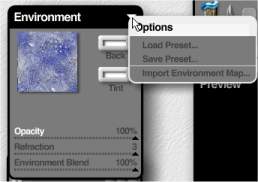
Open KPT Gel go to the upper left corner click on environment then import Environment Map, browse to the folder where you saved the .jpg images. After this, KPT will automatically go back to that folder.
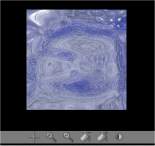
This is the fun part, you get to play with the brushes and controls. When you get it the way you want, click OK and return to your Imaging Program.
Now we are going to work with layers, I am not going to give you a ton of pictures just step by step. the following is for PSP.
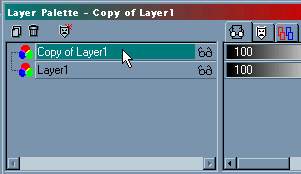
1. click on background, right click, promote to layer, then duplicate that layer.
2. Set opacity of that layer to 50% and making sure you are on copy of layer 1, go up to image > flip
3. Now go to layers > merge visible.
4. duplicate the merged layer, set opacity at 50% on copy of the layer and go up to image >mirror.
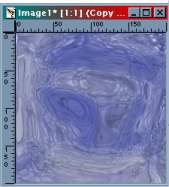
You now have a seamless background tile.
From there you can go up to colorize, or Hue > Saturation > Brightness and play with the colors a bit.