
Creative 3D Blaster Banshee
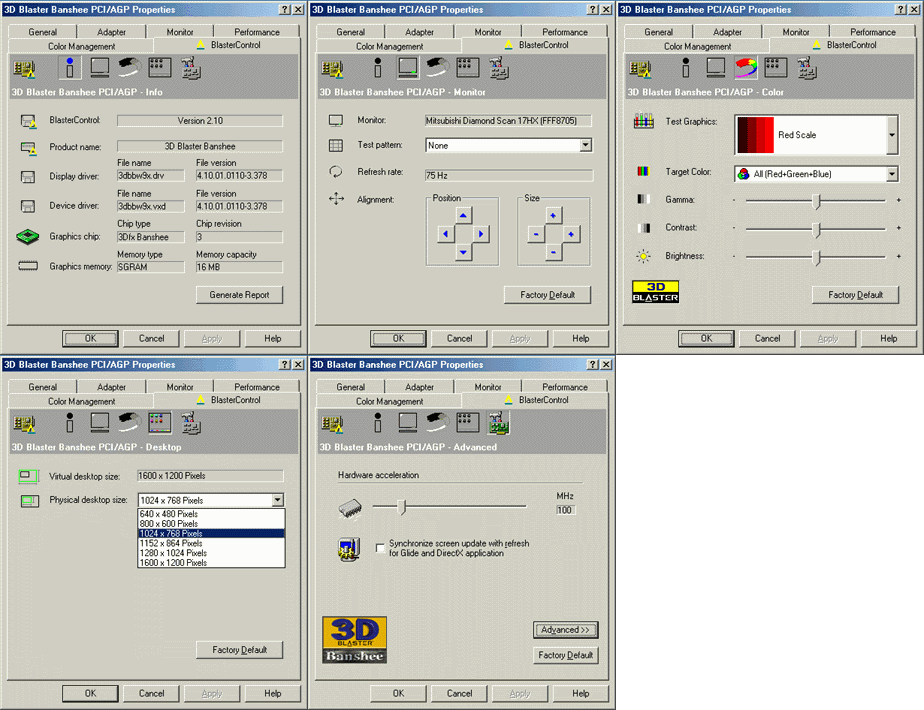 |
The Creative Labs
drivers for Win9x can be easily tweaked for WinMe. I have updated
the Glide libs, and added the 3dfx OpenGL ICD, which works well with
this driver set. I have included the following:
Glide 2.x Driver:
2.61.00.0656
Glide 3.x Driver:
3.10.00.0656
OpenGL ICD:
1.0.0.0661
Although this driver
is labelled v4.10.01.0110, it behaves much more like the 3dfx v1.03.00
DirectX6 reference set (ie v4.11.x). Importantly, for some people,
this driver does not have the 2D quirks of the last few reference
sets. 32bpp desktop does not corrupt text, etc. Blaster Control 4.27.04
can be installed, but lacks some Banshee specific tweaks. You can
install the newer OpenGL/Glide libs from the drivers page, but they
do not increase performance or features for this driver core. Note: I still recommed
the 3dfx reference sets for most users.
|
| Creative 3D Blaster Banshee Drivers for Win9x/Me - (February 2001) | |||
 |
Blaster
Control v2.10
|
||
|
v4.10.01.0110 (2.37 MB) Blaster-Win9xMe.exe |
|
|
|
| BIOS Updates |
|
| This is BIOS v1.03.2 which is the latest BIOS for the 3D Blaster series. Creative has a proprietary installer, which will only allow flashing on a 3D Blaster. Note: The 3D Blaster is not a reference design. Be warned... |
| Update: There have been a number of requests for BIOS v1.03.2 in binary form. This can be useful if you haven't backed up your existing Blaster BIOS, prior to flashing it, & wish to revert... Note: These have not been verified by me as I no longer have a 3D Blaster. |
|
| Creative OpenGL Driver |
|
| Some of you may recall that Creative Labs released a mini OpenGL driver which overcame the 3dfx limitation of 256x256 texture sizes. It achieves this by processing a 512x512 texture as a 256x256 quad. The results are useful. |

* All trademarks and copyrights are the property of their owners.


