How to use neroaacenc with dbpoweramp (with piping)
Things you will need:
- dBpowerAMP and the generic cli DLL from one of the beta aotuv vobis plugins or from the MPC cli plugin
- NeroAacEnc
Extact the nero cli encoder to "..\Illustrate\dBpowerAMP\Compression\NeroDigitalAudio"
Name the genricl cli DLL to "NeroDigitalAudio" (..\Illustrate\dBpowerAMP\Compression\NeroDigitalAudio.dll)
"Default" & "---" means nothing is specified to to the encoder.
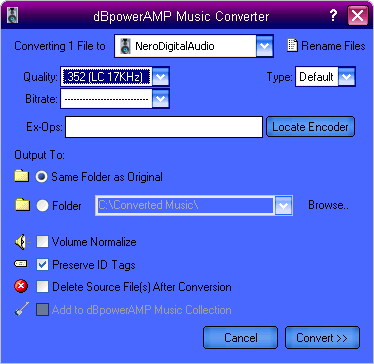
Replace the options file with this one.
This uses the generic cli plugin, but with a better dll for it.
The 56.1kb one supports piping, as does the 64.0kb and 60.1kb one.
The 60.0kb one does not.
5-23-06