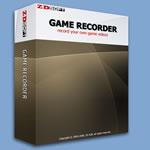
ZD Soft Game Recorder v1.5.4.0 
ZD Soft Game Recorder records game videos while playing PC games. You can use it to make your own game movies. It is the best one of the few in-game
video recording software on the market
* Almost all PC games.
* Fast recording speed.
* High compression
video.
* Customizable
video size.
* Screenshots capture.
* In-game FPS indicator.
How It Works?
Run ZD Soft Game Recorder before running the PC game you want to
record. It runs in the background. It automatically detects which PC game you are running in the foreground. After you press the hotkey to start recording, it grabs every frame of the game, compresses the frame data in MPEG4 format and stores the compressed data to a
video file. It also captures, compresses and stores the audio data of the game to the
video file if the audio recording option is enabled. Everything is done in real-time. The
video file is automatically named bases on the executable file name of the game you are recording. Press the same hotkey again to stop recording. Then the game
video is finished. ZD Soft Game Recorder is now ready for a new recording.
System Requirements
Minimum System Requirements:
* Intel Pentium III 1.0 GHz or faster compatible CPU.
* 128 MB or more RAM.
* 2.0 GB available hard disk space.
* Keyboard and mouse or compatible pointing device.
* M'zoft Windows 2000/XP/2003 or later version.
Recommended System Requirements:
* Intel Pentium 4 2.0 GHz or faster compatible CPU.
* 512 MB or more RAM.
* 5.0 GB available hard disk space.
* Keyboard and mouse or compatible pointing device.
* M'zoft Windows 2000/XP/2003 or later version.
* M'zoft DirectX 9.0c end-user runtime. (for hardware performance)
* Windows Media Player 9 or compatible software. (for
video playback)
* FFDShow
video codec. (for
video playback and post-editing)
 DOWNLOAD (APP+SERIAL) - 1.26mb
 Code:
http://rapidshare.de/files/25689003/ZDSGR.rar.html