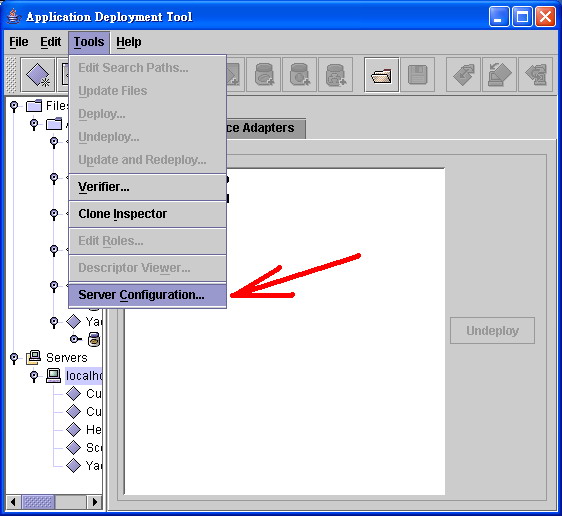
Go to "Sever Configuration"
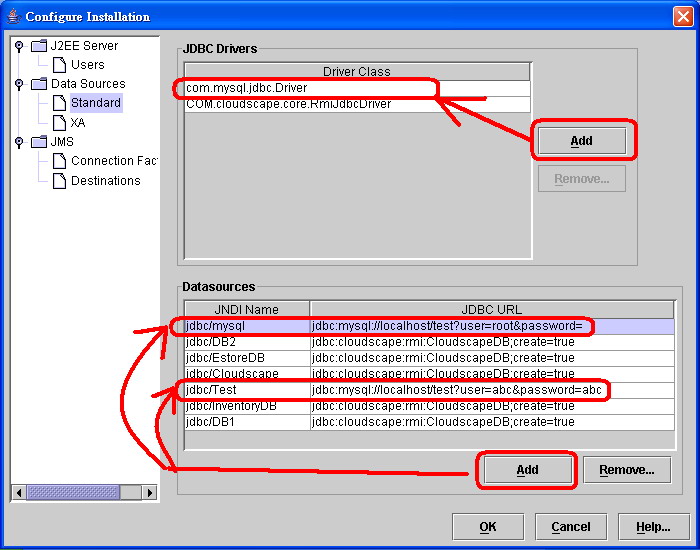
Then, you need to add Driver "com.mysql.jdbc.Driver" & JDBC URL. You can add several URL to use in different applications.
The JDBC URL format for MySQL Connector/J is as follows, with items in square brackets ([, ]) being optional:
jdbc:mysql://[host][,failoverhost...][:port]/[database][?propertyName1][=propertyValue2][&propertyName2][=propertyValue2]...
If the hostname is not specified, it defaults to '127.0.0.1'. If the port is not specified, it defaults to '3306', the default port number for MySQL servers.
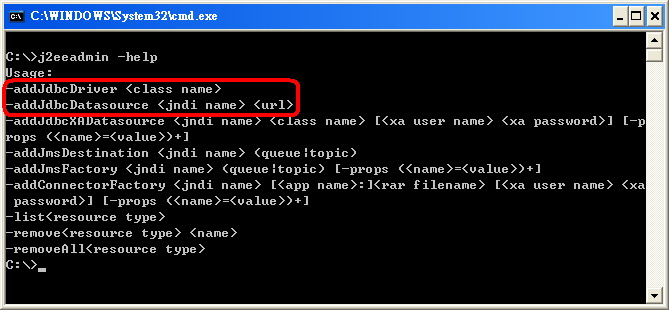
Also, you can use command line to add driver and datasources (JDBC URL)
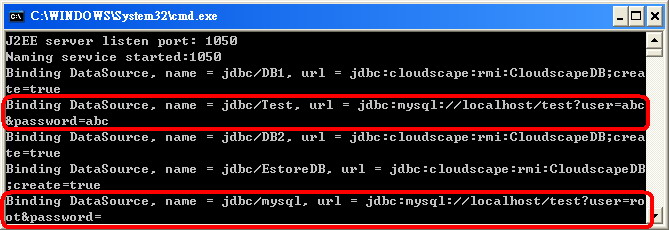
Setting complete, you need restart the J2EE service. Then you can see that it will all URL.
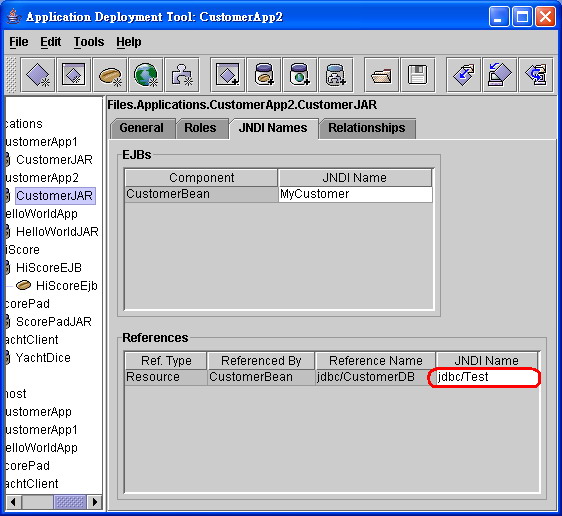
In the Entity Bean, it also need to add the JNDI Name to connect database.