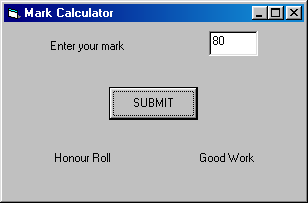
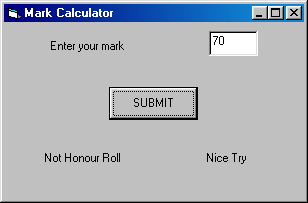
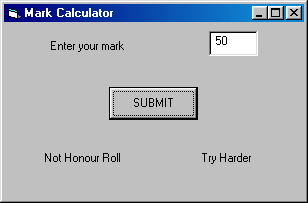
Normally programs flow along line by line (linear execution) in the order in which it appears in your source code. The if statement enables you to compare two particular variables (objects) and jump (branch) to different parts of your code depending on the result of that comparison.
Syntax for If Statements
| General Case | |
| if condition Thenstatement
If condition Then |
If mark >=
80 Then Label1.Caption = "Honour
Roll"
If mark >=
80 Then |
| If-Else Case | |
| If condition Then statement statement Else statement End If |
If mark >=
80 Then Label1.Caption = "Honour Roll" Label2.Caption = "Good Work" Else Label1.Caption = "Not Honour Roll" Label2.Caption = "Try Harder" End If |
| If-ElseIf Case | |
| If condition Then statement statement ElseIf condition Then statement Else statement End If |
If mark >=
80 Then Label1.Caption = "Honour Roll" Label2.Caption = "Good Work" ElseIf mark >= 70 Then Label1.Caption = "Not Honour Roll" Label2.Caption = "Nice Try" Else Label1.Caption = "Not Honour Roll" Label2.Caption = "Try Harder" End If |
Compound Checking Conditions & Lo
| Both Conditions must be TRUE | If (age >= 18) And (age <=65) Then Label1.Caption = "You are Hired" | |
| Either Condition may be true | If (age < 18) Or (age >65) Then Label1.Caption = "You are NOT Hired" | |
| The result of the condition is reversed | If Not (name = "Bart") Then Label1.Caption = "You may go on the trip" | |
| Only one of Condition is true |
** The AND operator binds
more strongly than the OR operator just like the multiplication (*)
operator takes precedence over the addition (+) operator. If you keep this in
mind, it will help you to debug logic errors in your code.