|
Painting animated cartoon tutorial
|
|
by David Rivera | Xsi animator | www.oocities.org/imagindreams2003 | www.imagindreams.com
|

|
3. Coloring
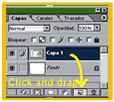
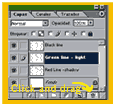
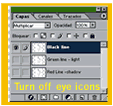
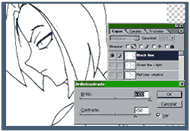
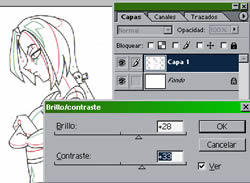
Start PS and make a new document of 720 x 486, 72 dpi //RBG image//pixel measures. I´ll use the standar NTSC DV1 screen format (pixel aspect ratio of 0.9) as it is indicated on AE. You must place your scanned artwork in this new document and set it the way you´d like to appear as 1:1 scale. (in other words: compose). Depending on your scanner settings adjust brightness and contrast until you get clean white backround. Let´s move to the 4 really simple steps that follow: |
 |
||||||||
|
|||||||||
|
Evil Lynn is (C)1996-2003 David Rivera. ImaginDreams is (TM)&(C)1996-2003 David Rivera
|
|||||||||