

How to do "A Puddle" Picture
Get The
"A Puddle" Effect below:
Save and unzip it into your PSP7 Plug-ins Folder

Open a picture you want the water to move in, once you see it
outline the water with your lasso tool
you will see lines moving around it
after its outlined click on EFFECTS then
"A Puddle" on the pop up box set the settings to 107 X 50 X 80 X 50 X 28
select OK and save it as a psp1 or as pic1.gif
Now push ctrl Z on your keyboard 1 time to undo what you did.
Now using the same picture with the same lines moving around it click on
EFFECTS then A Puddle
on the pop up box set the settings to 107 X 50 X 80 X 50 X 29
select OK and save it as a psp2 pr pic2.gif
Now push ctrl Z on your keyboard 1 time to undo what you did.
Now click on EFFECTS then A Puddle
on the pop up box set the settings to 107 X 50 X 80 X 50 X 30
select OK and save it as a .psp3 or pic3.gif
Now push ctrl Z on your keyboard 1 time to undo what you did.
click on EFFECTS then A Puddle
on the pop up box set the settings to 107 X 50 X 80 X 50 X 31
select OK and save it as a psp4 or pic4.gif
Now click on FILE and scroll down to
Jasc Software Products and click on it to click on Launch Animation Shop
Click on the Animation wizard top left corner icon Tick same size as first image
click Next
Tick Transparent
Tick Upper left corner of frame and
with canvas color
Click Next
Tick Yes Play Indefinitely
Click Next
and add your images psp1 or pic1.gif, psp2 or pic2.gif, psp3 or pic3.gif, psp4
or pic4.gif etc...
Click Next
Click Finish
Click View at the top
then click Animation to see it,
If its what you wanted Click File and Save As a Gif blah blah blah and Whatever
Name You Want!
Now it will want to Optimize the photo
I sometimes use the max setting 255 to get the BEST PICTURE
but beware that one means it's slooow to load things!
Or you can move the knob 1 down to 127 colors and click Next then it lets you
see it.
if it's what you want choose Next
then click on Finish
if it's not what you wanted
cancel it out (ctrl Z) and start over!
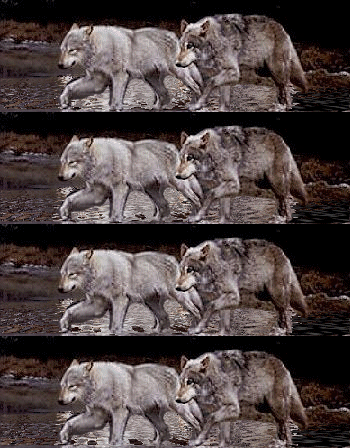
Now you should have a moving water picture that you can post to Delphi Messages
See sample below :-)
Part of Graphics Galore Delphi Forum click the links below for PSP Index Page, Forum and Website


