Glass Ball( Preview )
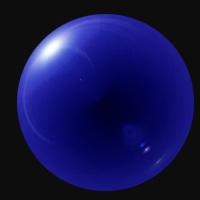
1. Open photoshop
2. First choose file>new and make the new image a square... maybe like 200px X 200px.
3. Make background black
4. Create a new layer and color that one black as well. Everything from here on out will be done to the new layer.
5. Choose filter>render>lens flare and pick 105mm prime and set it to 100%
6. Now go filter>distort>polar coordinates and click on the "polar to rectangle" button.
7. Now go edit>transform>flip vertical.
8. Now go filter>distort>polar coordinates and select "rectangular to polar"
9. Now take the eliptical marquis tool and while holding down the shift button to achieve a perfect circle, select around the edge of the ball.
10. Choose select>inverse
11. Then choose edit>cut
12. Now go image>adjust>color balance and play around until you get a color you like.