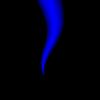
01 - Open A New Image, Any Size You Want, Black Background
02 - Create A New Layer
03 - Click The Rectengular Marquee Tool And Change The Style To Fixed Size, With Width As 1/4 Of Your Images Width And Height As 3/4 Of Your Images Height, Click On Your Image And It Will Appear
04 - Click The Paint Bucket Tool And Change It To The Gradient Tool
05 - Make A Gradient That Is With These Settings (Demo)
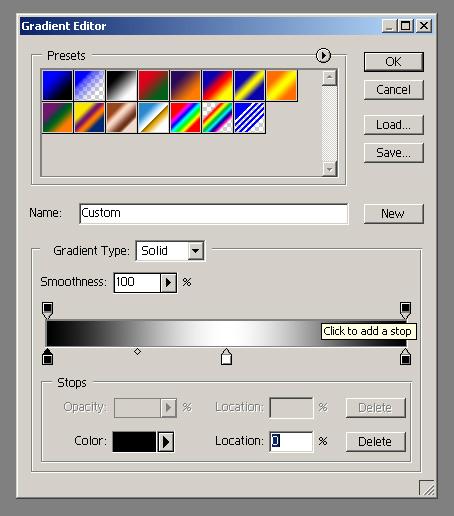
06 - Fill The Selection Horizontally While Holding Shit
07 - Deselct (ctrl + D)
08 - Edit > Transform > Perspective, And Drag The Bottom Two Boxes Into The Middle
08 - Filter > Distort > Shear And Use Settings Similar To These (Demo)
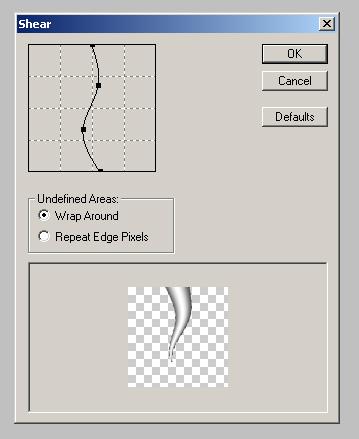
09 - Merge The Two Layers (Ctrl + E)
10 - Create A New Layer, Fill It With A Color Of Your Choice
11 - Edit The Layer Blending Options To Multiply Or Soft Light
12 - Merge The Two Layers (Ctrl + E)
13 - Your Done!
By DJ_Durst