
Click on Start
Click on Programs
Click on Accessories
Click on System Tools
Click on Scan Disk
Scan Disk will now load
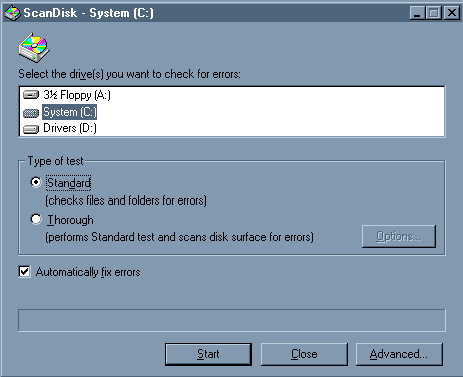
Make sure "Drive C" is highlighted
Make sure there is a check by "Automatically Fix errors"
Click on Start
Scan Disk will start scanning your harddrive

Scan Disk will finish

Click "Close"
A thorough scandisk should also be run periodically.
I like to run a thorough scan disk once a month.
To run a thorough scan disk, place the dot by "Thorough", instead of "Standard".