*sigh* Oh wells okay Anyways bye bye everyone!! I know this is confusing but hey I repeat I am NOT a computer inclined person LOLZ

Tutorial |
|
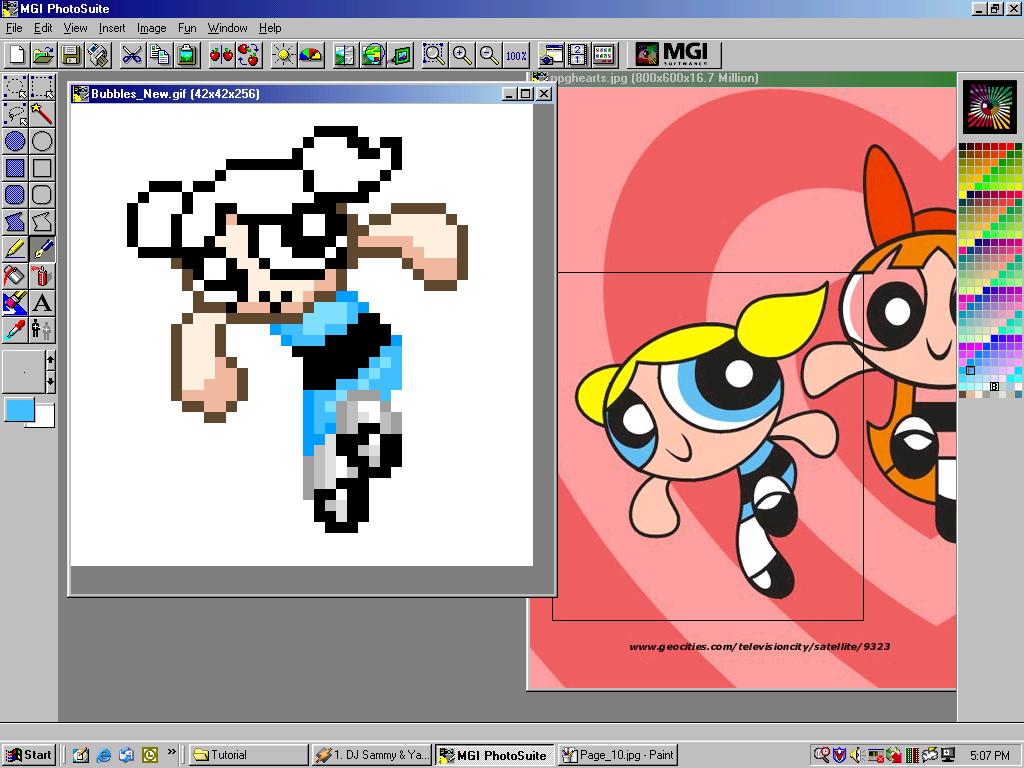
Well I redid alot of things through the WHOLE thing!! Haha well I think it really still looks retarded but hey it'll do!! | ||||||
|
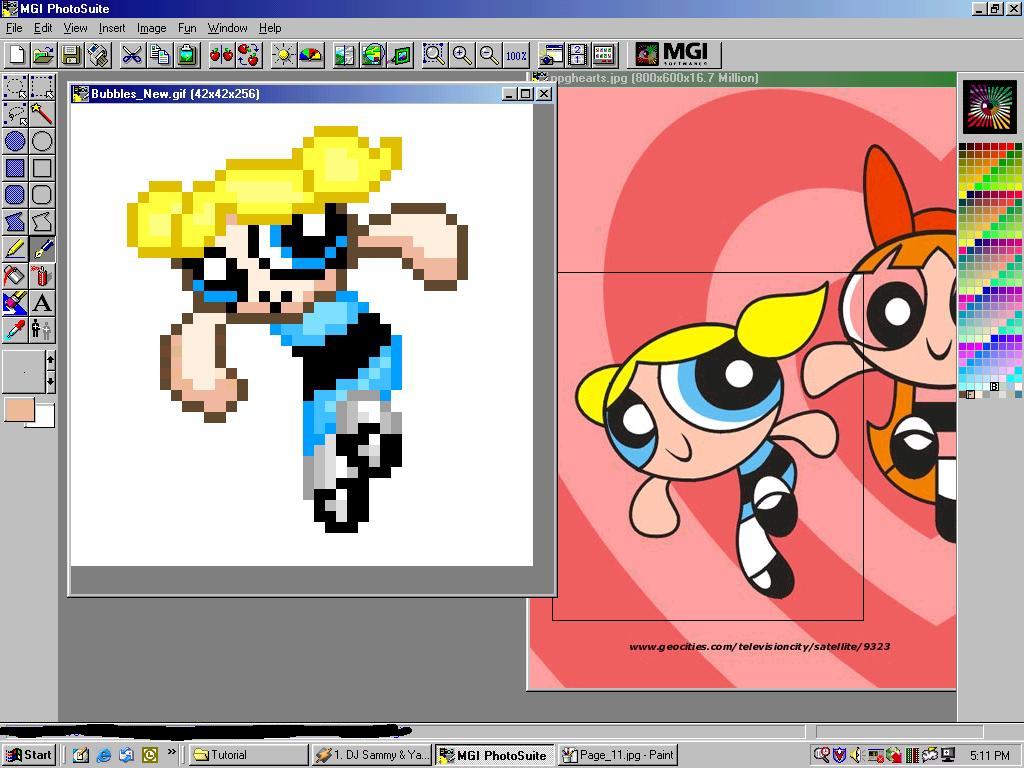
*Gasp* Yes do the hair part do the outlining... One thing I really hate about the blonde hair thing is its REALLY REALLY bright on white hahah *sweatdrops* So I found a really dark color that still matched but is viewable!! Then the eyes... the thing that makes the Powerpuff Girls the POWERPUFF GIRLS!! I used the same color that outlined the dress and just go around the pupil I think that's what it's called!! | ||||||
|
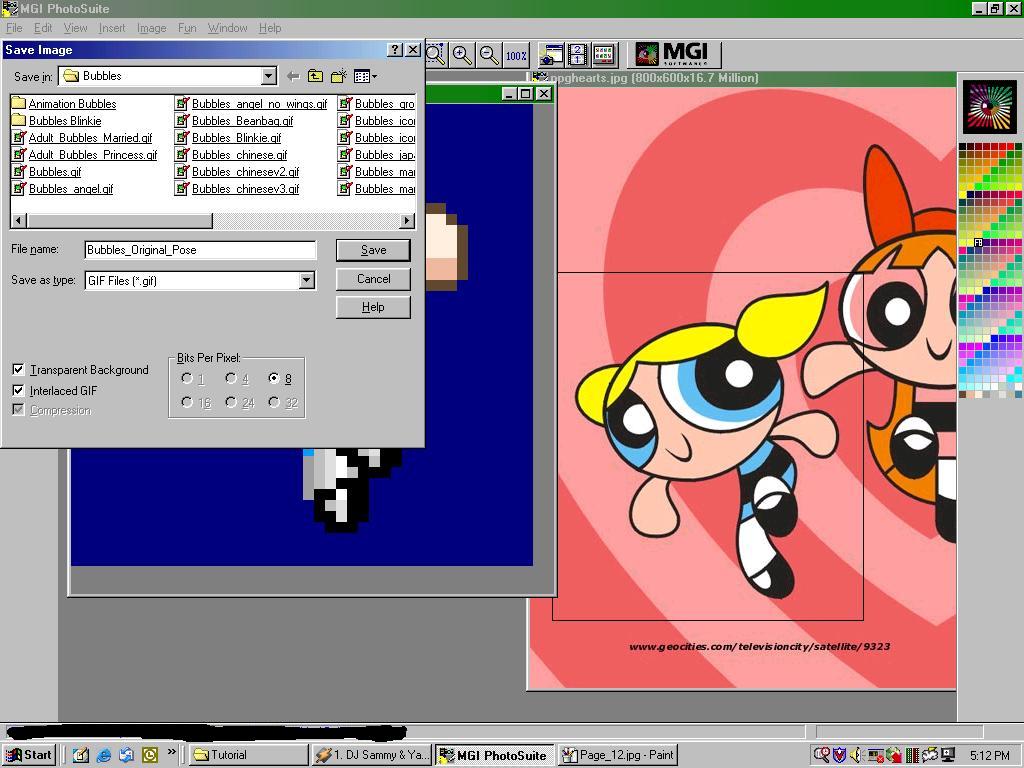
Well Okay the small window is blocking it... but
hey you are going to learn something!! Use the above pictures to see
this... On the left you'll see two boxed that overlap each other yes the
one on the bottom of everything... *sigh* Those are very useful LOL!! Well
now pick a color any color you haven't used on the right... now fill in
the background that color ((Use the bucket tool I swear if you are an
idiot and use the PEN TOOL... You shouldn't be here)) yes well anyways go
back to the right and instead of left clicking that color you used now
RIGHT CLICK IT!! *GASP*!! Yes hahah then on the LEFT you will see that the
box that is behind that other BOX turned THAT COLOR!! *GASP*!! Okay yes
now go File>Save as now save it as a gif and on the bottom of that
window it should say "Transparent background" please check mark
that!! And SAVE!! VOILA!! You have made your sprite... with a TRANSPARENT
BACKGROUND!! NOW LOOK!!
*sigh* Oh wells okay Anyways bye bye everyone!! I know this is confusing but hey I repeat I am NOT a computer inclined person LOLZ |
||||||
|
|
|
|
|
|
|
|
| Main | Previous Page |