CD-R or CD-RW
It is inevitable that a new storage system will be introduced in the near future. The floppy was more convenient to use than the CDs but because of their limited capacity will disappear.
At first look it would seem that the CD-RW would be the best choice but they bring one of the floppies problems, files could easily be overwritten and lost. The CD-R disk can be written to many times (multi session) but must be confirmed writable each time and closed each time with the CD write program.
The disk will hold the equivalent of about 500 floppies and although files can be deleted they cannot be overwritten.
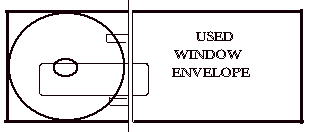
The list of files on the disk is easy to print, and one copy can be used as a record of the contents and the list of files can be cut from another copy and stored with the disk.
One way to print the contents is to use DOS. commands at the
Windows MS-DOS Prompt in 'Program files'
The first command is DIR which is the list command
Next is the directory name such as D:\
Then 'switches' can be added such as /O:N to list in alphabetical order, /W to list in wide format rather than a list down the page with dos name, size, date, full name etc on each line.
Then the command to send to the printer >prn
These command can be tried at the MS-DOS Prompt without the >prn to list the files on the screen.
C:\WINDOWS>dir c:\ /o:n
and press ENTER
or for wide format
C:\WINDOWS>dir c:\ /o:n /w
or with the printer ready
C:\WINDOWS>dir d:\ /o:n /w >prn
Replace d:\ with the CD drive letter.
To exit this program you can type exit if in full screen mode.
C:\WINDOWS>exit and press ENTER
(Alt + Enter) will toggle between display modes.
To print the contents of a large disc, use
C:\WINDOWS>dir d:\ /o:n /p
and press ENTER
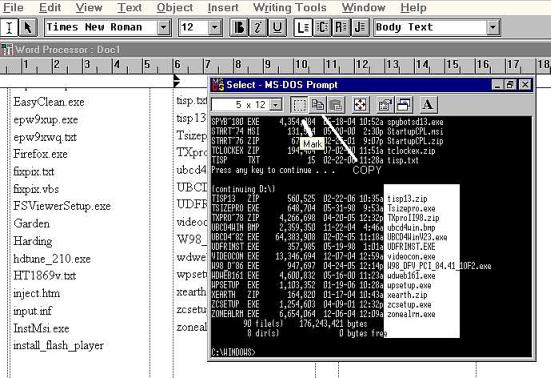
Select the text and copy. Minimize the dos and open a word processor and insert some text boxes. Paste the text.
Max the dos and press 'p' to move down the list. Copy and paste.