Email Help
Bcc
If you want to send email without disclosing the receipants (fowarding the email addresses of your friends)
You can highlight and backspace to remove the sends and recepiants,
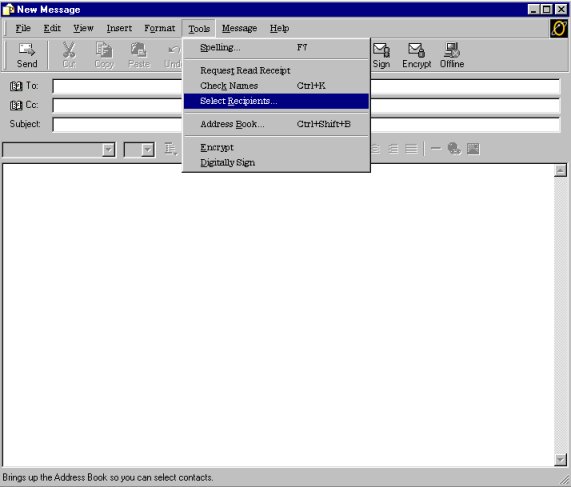
just click on tools in the top task bar, a menu will pop up
click Select Receipants
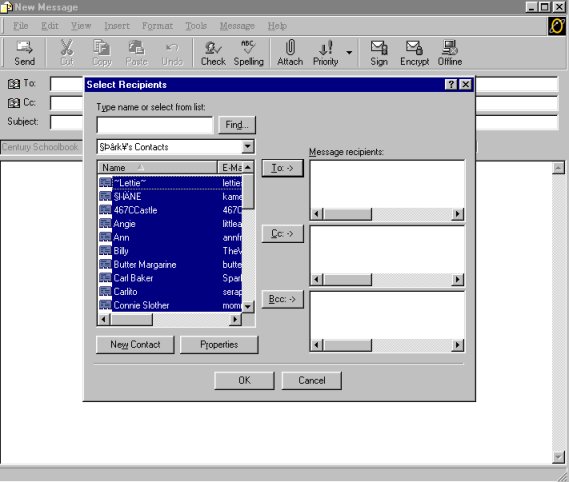
Then the Contact List Will popup
You can click the first one on Contact List,
Then highlight the whole list if you want ,when the list is highlighted Click Bcc->
Or you can select them one at a time then Click Bcc->
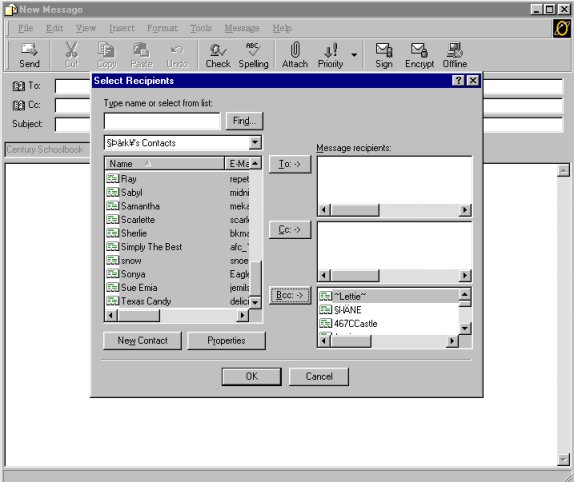
You then will see the ones selected show in the Bcc->
After that just click ok then send.
Font Style
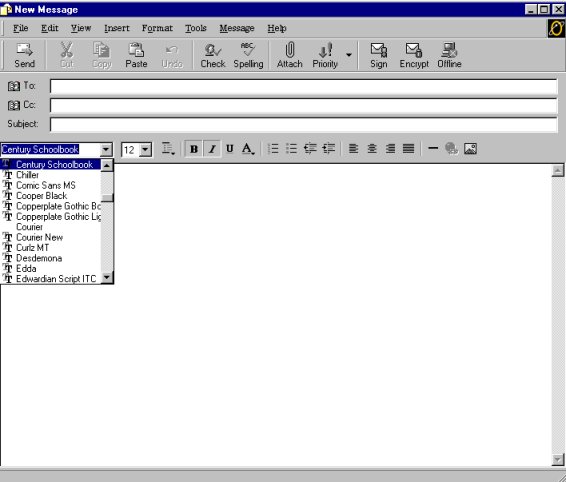
To select a style of a Font click the arrow and a menu drops down
Font Size
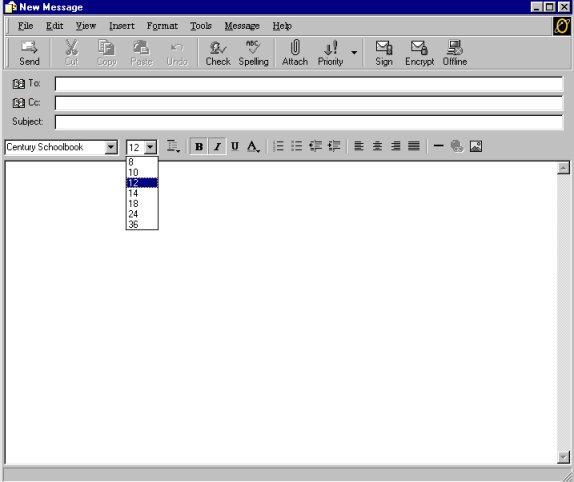
To select a Font Size click on the arrow a menu drops down
the larger the number the bigger Text
Font Color
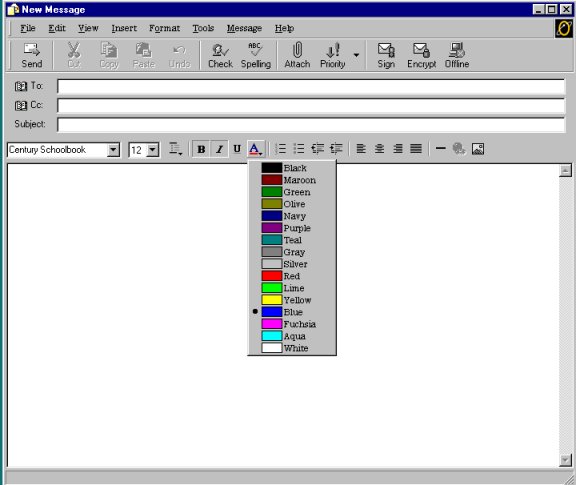
To select a color click on the "A" then click the color
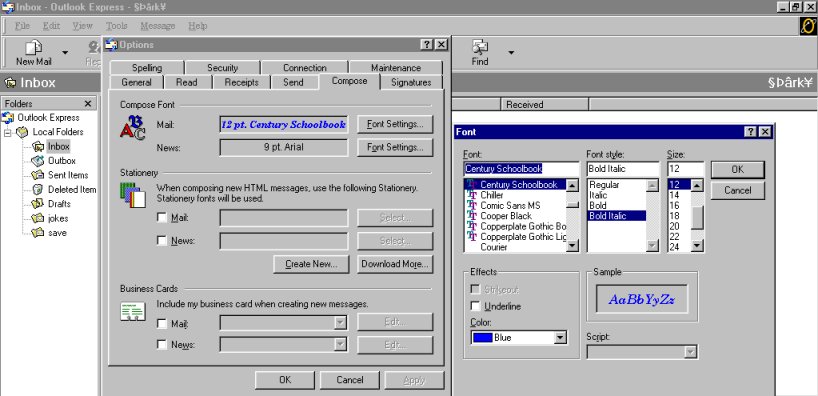
Setup Font Default
To set up a default font and color etc when you send
Click Tools in top task bar, then a popup menu will apear, click options
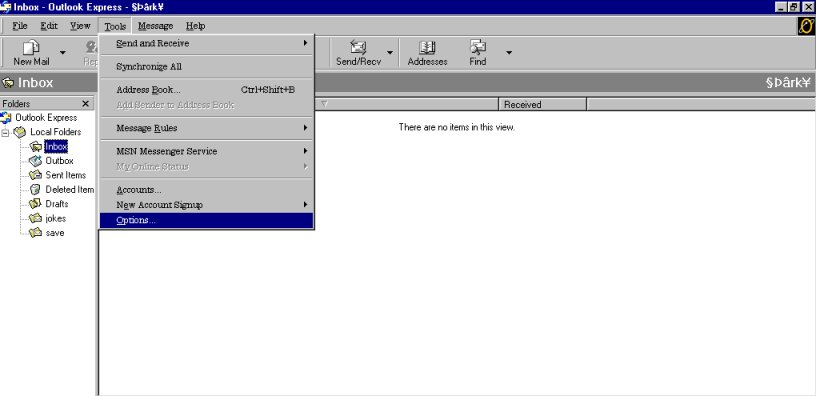
Then in Options click Compose, then click Font Settings
In Font Setings choose as you want to send, then click ok
It will now be your default