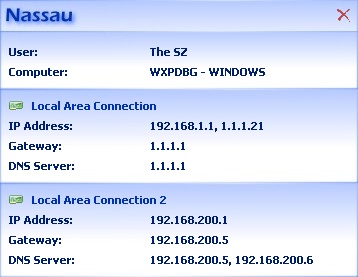
After a doubleclick on the icon, all this information is shown in a much nicer dialog. See screenshot below.
 Download Nassau.zip Version 1.04 [73 kb]
Do you like the software?
After a doubleclick on the icon, all this information is shown in a much nicer dialog. See screenshot below.
| Related interesting software: |
York::Log all network traffic
Homedale::WLAN Monitor Yale::See network adapter usage PortScan::Scan and identify network devices |

© by ß |