As an example, let's assume that somehow you were able to get the URL of a specific pic:
http://www.gaystreet.com/johnboy/gallery/g46/frank07.jpg
2.1. Pix in series
If there is a frank07.jpg, in all likelihood you will find frank06.jpg, frank05.jpg... You might also have frank08.jpg+. In this connection you might find a utility called Auto Picture Viewer useful. It is available at:2.2. IndicesIt can be tricky to use and I plan to describe it's use at a later date. In effect, it calls up sequential URLs in your browser and you can view the pix as if it were a slide show.
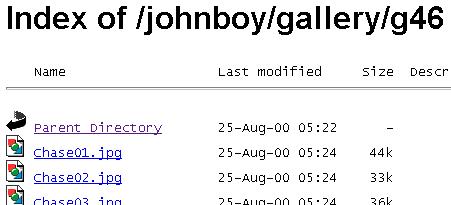
If you erase the URL from the right to the first back slash (\ ) you may hit pay dirt and find an index. Erasing back to the \ in our example, you will have:http://www.gaystreet.com/johnboy/gallery/g46/ Using that as the URL, you will see something like this:
and you have access to a number of pix. If you find a file ending in *.htm or *.html, you have a web page which might give you access to the entire site. Continue erasing back to the preceeding \ if the first erasure didn't work.
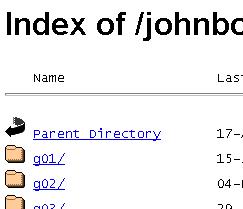
If you click on the words Parent Directory, you will move up a level in the file structure of the site. This may be helpful in accessing more files in the site. If you do this with our example, you will find something that looks like this:
Here we find the file structure of the site. Click on a folder to see its contents.
In this connection, I constantly use a program for downloading entire sites, called Fetch! . It works particularly well with indices. You can see how it's used by going to FAQ9.