Convert AVI (.avi) to Windows Media (.asf , .wmv)files
Now open the Windows Media Encoder
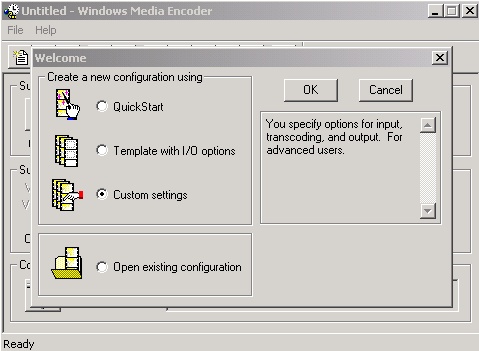
Click on the “Custom
settings” and press OK
Choose AVI/WAV/MP3
File option
Click Next

Select your
movie in AVI format
Here it is
"COLOMBIA"

Click
Next
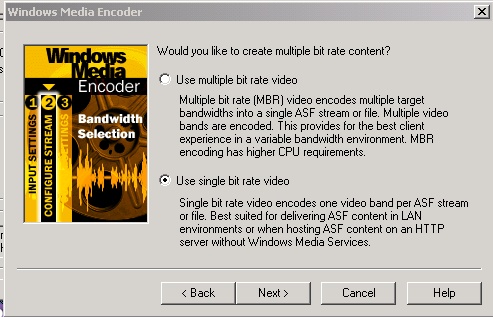
For a movie
click "Use single Bit Rate Video"
Click
Next

Select Bit rate
as your AVI under what you have been selected on DivX
Click Next

Select Audio
Output MPEG3 56K 24KHz Stereo
Click on the
Advanced under Video:

Select your Video
Image Size as your DivX file
Click OK
Select output
file name : I selected here "COLOMBIA" . If the file does not exist
your will have a prompt to create it . If the file exists and you wish to rewrite
on it click OK
Click on the
AUTOMATIX INDEX
Click Finish

Now you return
to the main menu :

Now please click
on both the buttons

And two panels
will appear ,

One , that will
show you the movie while convert in progress (above) , and the next screen for
statistics on the movie (below)
 !
!
Ok ... now
please click on the  button to start converting . If the file exist you will be prompted
to overwrite it .
button to start converting . If the file exist you will be prompted
to overwrite it .
Now wait until
it done .
While the
program in progress you will see your movie and statistics -

And in the end
you will see 3 movies in 3 size - the .ASF is the smallest

if
you wish you can save your project
