 |
| Palace Tutorial |
| Need help with the palace then look no further. This will get you started with all you need to know about creating your dolls in the palace! |
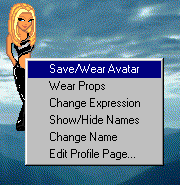
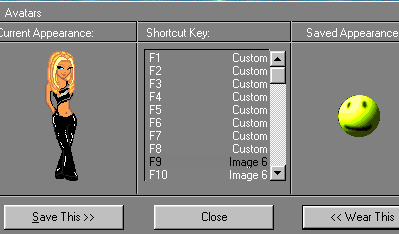
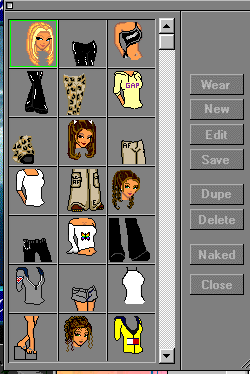
| Step 1: when you log in you will be in the practice palace. You will want to find dolls, so you can dress yourself up and create your own doll. So you will click on and then click" Dolls and Avatars". Step 2: Now you may click on "next" to brose through dolls. If you like an image then "right click" on doll and save/wear avatar Step 3: Now you will click on "save this" example: Step 4: Now your doll will appear in the briefcase: clicking on this will bring up your saved dolls Step 5: Now you can make your dolls. But first you will want to go to an editing room Click on "Bookmarks" and then "Props_Dollz-Avatar Palace" and then click on "Edit Rooms" Step 6: Now you may dress your doll, click on the briefcase click on "naked" and then highlight an item and click "wear" Now you may push "print screen" on your keyboard and go into your graphics editing program |
|
 |
 |
 |
 |
|