

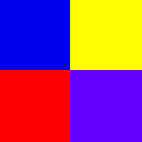
Clockwise from top:
IMDb.com - Filibuster (My other Site) - Erin's Site - CBBC News
Easy steps to create an Image Map:
- Take out the image you would like to become a map and study it. Use Paint Shop pro or another program that you will be able to tell you x and y coordinates. Search out how many links you would like on the picture and where you would like them.
- Image maps can be created in three basic shapes: rect, cirle, and poly. This short tutorial will explain to you the rectangle one.
- Use the rectangle tool (on a copy of the image) and, with a pen ready, start where you would like one of the corners of your link to start and drag the cursor until you get to the next one. Before you take your finger off the mouse button write down the coordinates in the bottom left hand corner. These will be the coordinates for the link on your image map.
- Next step is to find the rest. Make sure you keep track of which coordinates you want for certain links or you will have to start over finding your coordinates.
- The next step is to create the map in your code.
<map name="your_map_name_here">
with the closing tag </map>.
- Now that you have your coordinates, your links and a created map you need to add the rest into your code so The map will work up on your website. To do this stick the image into your code and add the following attributes to it: <img src="image_name" usemap="#your_map_name_here"> Don't forget the pound sign!
- Now to add your coordinates to the map tag like this:
<map name="your_map_name_here">
<area shape=rect coords="45, 45, 23, 24"
href="address here">
</map>
And continue until your done starting a new "area shape" each link.
Back to Main