
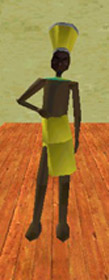
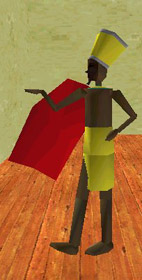
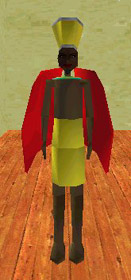
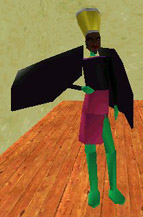
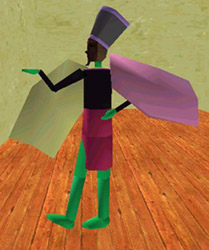
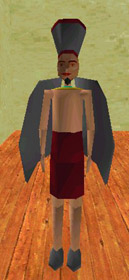
This is the standard Hotep avatar
VIPAVATAR=avatar:hotep.rwg
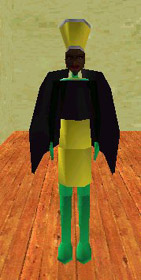
Following the same principles as you have learned while adding the previous wings to avatars, you can now add the resized Macaw wings to the hotep avatars' code. It will look like this when completed:
Each body part has a letter assigned to it:
a = skin..... b = shirt...... c = coat..... d = dress..... e = pants..... f = hair
You can make changes to any of these parts by using your customization palette or by going directly into your ini file.
The colour code in your ini file will look like this:
VIPAVATAR=avatar:hotep.0EC__C__C__C__C__C__
This is how you make colour changes to the Hotep avatar:Starting with the first C__ which is skin overwrite it with light green which is the code C_L. Follow each line of code below to get familiar with changing colours.
VIPAVATAR=avatar:hotep.0EC_LC__C__C__C__C__
VIPAVATAR=avatar:hotep.0EC_LC_AC__C__C__C__
VIPAVATAR=avatar:hotep.0EC_LC_AC_QC__C__C__
VIPAVATAR=avatar:hotep.0EC_LC_AC_QC_KC__C__
VIPAVATAR=avatar:hotep.0EC_LC_AC_QC_KC_VC__
VIPAVATAR=avatar:hotep.0EC_LC_AC_QC_KC_VC_N
a = skin
b = shirt
c = coat
d = dress
e = pants
f = hair
In my case I have chosen f which is the hair colour or in Hoteps' case the hat colour.
You can change the shoe colour in your customization palette or you can go into the code and alter them there. You will find this adventagious later on when you get good at altering code and need to shorten the line.
The shoe letters are K and Y....you will see in the line of code below where I have made these changes. This is what the finished line of code will look like: