How to’s
How to add an Avatar
- Sign up an a free Photo/image storage site such as
www.photobucket.com
- Locate your file on your PC then upload it onto your web
space.
- The image will be stored and as in photobucket the URL
(Universal Resource Locater) will be shown underneath.


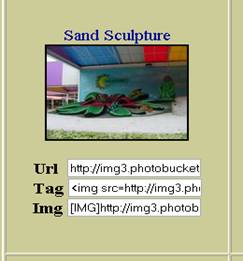
- Highline the URL and copy it.
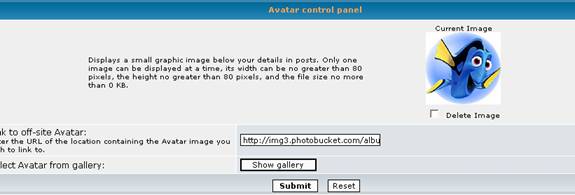
- Go back to your profile within the forum and paste the
URL in the message box at the bottom of your Profile page.


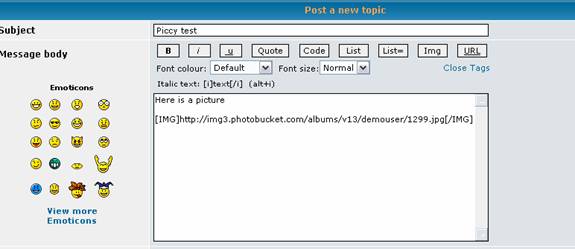
Adding an Image to a post
1.
As shown before an image needs to be uploaded.
2.
Now you have to copy the text in the Img box.


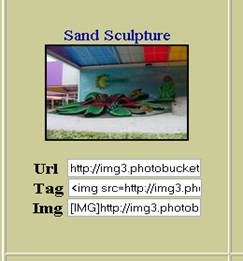
3.
Paste full link into your post.
4.
Make sure that the [img] and [/img] tags and at the beginning and end of
your link.