
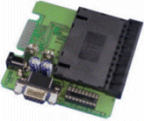
O.K start by downloading the software.if you dont have it already.
MP6 by AD-Teknik.
WARNING : This HELP file will assume you're starting with a BLANK gold Wafer.
ALL DATA WILL BE LOST.!
We'll just jump in at the deep end.
Run MP6 from start>Programs>
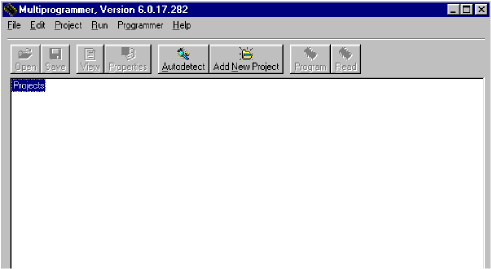
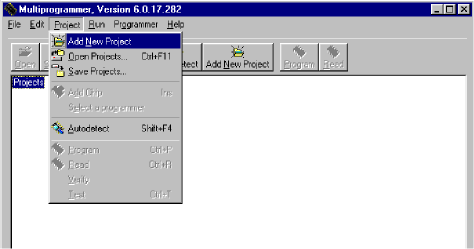
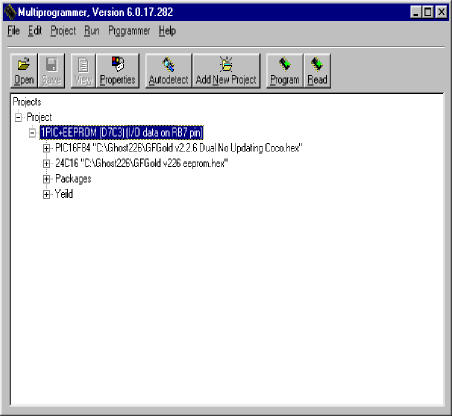
next from "project"menu pull down "Add New Project".
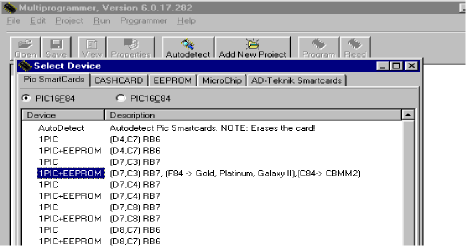
New project will ask you what type of card you have .whether you need
to program the PIC + EEprom, or just the PIC itself. I have the Ghost
Hex for the PIC, and Ghost hex for Eeprom "1PIC + Eeprom".
Most important here is D7 C3.
Double click on D7 C3 (RB7) F84 -> gold plat
now the PIC 16f84a is ready to be loaded with the "GFGold Dual No Updating Coco.hex" that came
along with GfGoldV2[1].2.6.zip .
click on your "PIC16F84" , right click ,
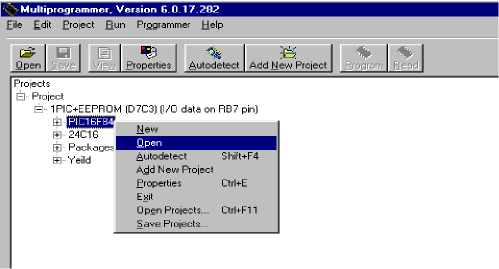
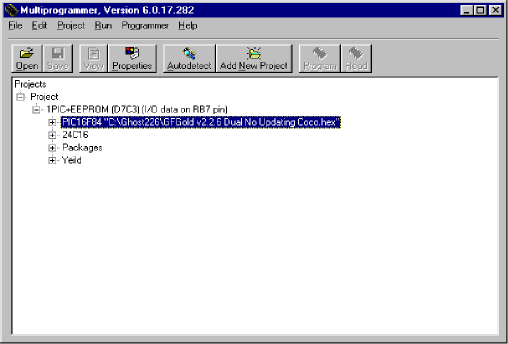
then "OPEN".locate your "GFGold Dual No Updating Coco.hex"
then click O.K
Same for your Eeprom.Hex, open locate ok.
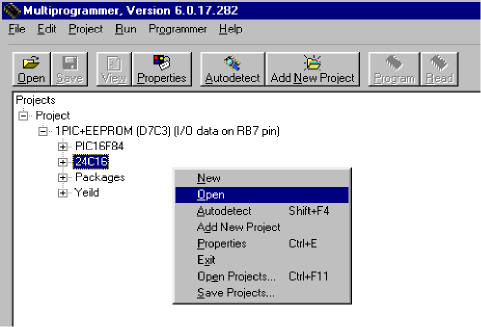
"GFGold v226 eeprom.hex"
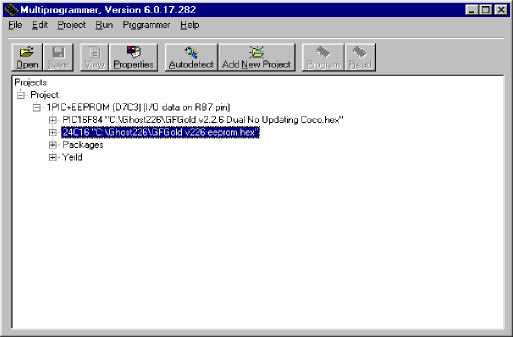
Just highlight "1 PIC + Eeprom" just
under your project. Now the "Program/Read"
Buttons are now active.
Hit "Program".
Last chance to back out , Click "OK".
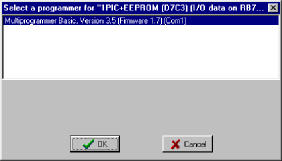
Now your PIC thru Programming will begin.
The Elvis will program
a small operating
system on your PIC, so it can program the Memory
Once the memory chip is programmed, the elvis now removes the operating system
off the PIC-16F84A and then programs the PIC with what we intended,
"GFGold dual no update Coco.hex" in its place.
Thus both eeprom and PIC is programmed .
Hope this helps somebody.