|
|
|
|
|
- Twink - |
|
|
|
|
|
... before ... |
... after ... |
... bg ... |

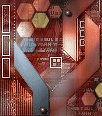
2. On the girl av were going to colorize her, press Shift L on the keyboard, a window comes up, the Hue is 19 and the Sat is 57
3. Select the lasso tool  the settings for this are as shown below..
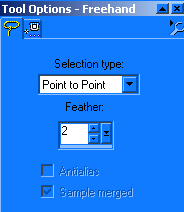
4. Cut around the girl and you will notice it looks a little off when you finish, but thats ok thats why we put the feather on it...cut the selection out -edit Cut...
5. paste it on the background as a new layer -edit paste as new layer, position it where you want it. DO NOT MERGE THE LAYERS
6. Now were going to use the eraser tool  the settings for this are shown below...
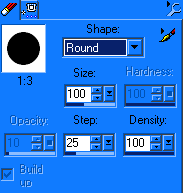
7. Since the size of the eraser I used is so big you only need to click on the area you want erased maybe three times to get the desired effect...It should look something like this...

8. I applyed the filter called filters unlimited to get a scan line effect, Its listed under video then interlace even scan lines.
I don't know where I found this filter at so you can use the built in scan lines from psp 7, you need to go to the top where it says effects, then texture effects, click blinds at the top. The settings for this are shown below..
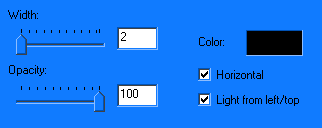
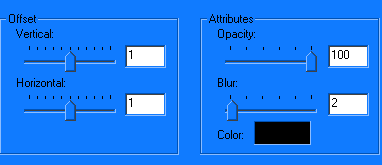
9. Now were going to add a new layer then text using the Panther font, size 26 I typed Twinkle, DON'T MERGE THE LAYERS the color I used was white and I applyed a drop shadow as shown below
10. We need to save this av as a .psp so we can continue the tutorial in ulead. Please note that if you are using PSP version 8 it will save the file as a pspimage...erase the image part to make it a PSP.