|
|
|
|
|
- Twink - |
|
|
|
|
... before ... |
... after ... |

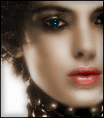
1. Open the av in PSP and increase colors to 16 million.
2. Hold the shift key on your keyboard and press L, this beings up the colorize tool, the settings are Hue 19 and Saturation 70. Your av should look like this.

3. Next were going to color the lips, at the choose color screen put these numbers in =)

4. Click the retouch tool at the top, it looks like this.. Once you have that in put the following settings below in your tool options pallete.

5. Run the curser over the lips as dark as you want making sure you get the full lips colored. It may look a little bright now but it wont when were fineshed.
6. Now were going to color the eyes. The color i used is below.

The tool options pallete is the same as the lips but the opacity is 100.
7. Last step is to apply the softener filter you downloaded from above. I used a mild gausean blurr. Push ok and if it asks you to go to there website just choose no. Dont worry about the top settings unless you just want to play with it.
All done!!
: : i n d e x : :