

|
CUSTOM BRUSHESWow! I never knew about these WONDERFUL custom brushes!I used the custom brush #21 for the background, using size 251, opacity 97 and step 5. I spilled 4 shades of green from the top and filled the bottom with beige. Next, I used custom brush #26 to make my yellow sun (Size 149, Opacity 97) with a 5-click buildup. Next, I did heart #29 and diamond #35, in red, and club #33 and spade #34, in black, with 3-click buildups, using size 128 and opacity 97. I like the eye #13 custom brush so much, I just had to use it, so I placed a size 145 (opacity 99) in blue, to the middle of my sun. The final touch was a white tube 30, size 255, opacity 75 with a 2-click buildup, centered on the eye pupil. |

|
AIRBRUSHTo paint my background, I used purple foreground and green background, then selected the #1 gradient, to use those foreground/background colors. I used the round normal brush in size 255 and dragged it over the background till it was solidly colored.For the size 188 cone, I used 149-angled cyan-magneta-yellow gradient. Then I topped the cone with a size 65 custom brush ball #28, using the red-yellow-red gradient angled at 38, repeat 1, and at opacity 35. Next, I made my biggest star with yellow using custom brush #1, size 30, opacity 100. I made the smaller stars with size 15 & 7, using opacity 35 and used 1, 2 or 3 clicks to make these smaller stars. With the #16 ray in white, I used size 100 for my big star and size 50 or 25 for the smaller stars. To make the big star "glow", I used custom brush #26 in size 50 and clicked four times. Lastly, I used the custom brush circle #15 at size 10, opacity 35, step 15 to drag my "MC" initials in navy blue and then I cropped the works. |
|
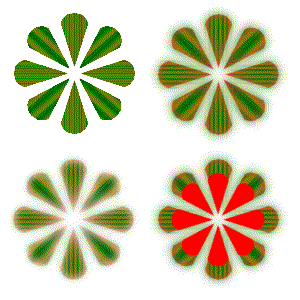
MAGIC WAND & FILL TOOLI opened a 300x300 graphic, and pasted two red daisies in each upper corner, size 129.In the upper left daisy, I selected each petal with the Magic Wand set with RGB match mode, tolerance 110, feather at 0. Then I filled (normal blend mode, RGB match, tolerance 200, opacity 98) each petal with background forest green gradient (repeat 21) set at angle of each petal. In the upper right daisy, I did the same, except I set the feather of the Magic Wand to 10. In the lower left daisy, I Magic Wand selected (holding down the shift key) the whole daisy from the upper right corner -- I don't know why the graphic pasted is lighter. Perhaps it has something to do with the feather 10 or tolerance 110 of the Magic Wand. I selected and pasted the daisy from the upper right corner, using the square selection tool to have the darker graphic, and set the feather to 0. Then I pasted a red daisy in size 100, opacity 100, on top of it. |
|
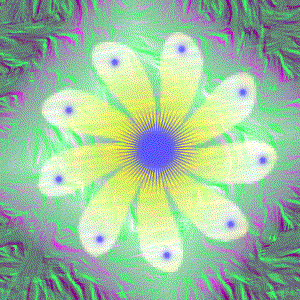
TEXTURESI floodfilled (normal blend, RGB match, tolerance 200, opacity 98) my background with bright green solid color. Then I floodfilled on top of that with the pink neon rectangular gradient (Horizontal 50 Vertical 50)foreground, using brush strokes texture -- the green came through the transparency of the pink neon.Then I airbrushed a size 255 #3 custom brush (100 opacity) in yellow neon sunburst gradient (Horizontal 50 Vertical 50) with the wrap texture. Finally, I airbrushed a blue center in size 100 #26 custom brush, using opacity 100. Then I resize the airbrush to 25, and poked blue dots to the ends of each petal. |

|
TEXT IN TEXTURESThe background was done in twig texture in pink and the text is a size 60 Arial, with mauve stroke, and the fill was done in blue with square texture. |

|
EXTRA CREDITBackground filled with red rocks texture at (normal blend, RGB Match, 200 tolerance and 98 opacity) Background filled with green twigs texture at (normal blend, RGB Match, 200 tolerance and 30 opacity) Airbrushed custom brush #4 leaves (size 90, opacity 50, step 75) in forest green (repeat 80) and autumn (no repeat) sunburst gradientsI magic wand selected (RGB match, no feather) some of the green leaves to floodfill (normal blend, RGB match, 200 tolerance, 100 opacity) with solid green. I had to use from 50-100 tolerance on the Magic Wand because of the repeating colors and the greens in the background. I magic wand selected (tolerance 40) one of the gold leaves to floodfill it (same settings as the green leaves)with polkadot texture. Finally, using black stroke on bold Arial size 60 font, I did my name in light blue fill with brush stroke texture. |
