|
|

|
Installed my new Paint Shop Pro VERSION 7...
Ooh WwaouwW! Get a load of the tour that comes with it!! (You know, I have been using version 3.1 all this time....) OOOOoooOOOOOOOoooooohhhhh, theeeeeeee ANIMAAAAAATion! GAWSH, look at those gradient colors, the shapes, and all those textures!!
golleeee, why do I sound like Shrek's donkey?? |

|
Okay, now this was abit more complicated... The worse part was trying to get the selection lines off the text! But in my attempts, I came across some really NEEEEET stuff which you can do to the text! I LOVED doing all the effects! This is such a BIG improvement over my old Paint Shop Pro! Oh, this is just too much fun, I hope I remember to take a break Christmas Day.... |

|
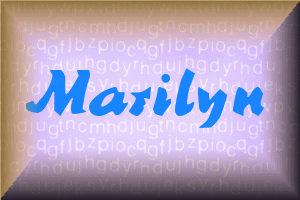
 My GIF is on the left and JPG is on the right. I cannot see any difference. But then, I DO need new glasses. In order to save my PSP file to GIF it had to be restructed to 1 layer and 256 colors, whereas the JPG was saved in the 16 million colors and kept the multi-layers, exactly the same as the PSP. Now, PSP tells me the size of both PSP and JPG is 175.8Kb, and the GIF is only 59.6Kb... BUT, but, but... Windows tells me a different story: (Now, THIS I did not know......) PSP size is 80Kb, JPG size is only 14Kb, while GIF is 32Kb! So JPG is a teenyweeny little file, I always thought JPGs were bigger than GIFs! And I DID triple-check this one! |

|
 Originally, I decreased the colors to 256 since PSP7 was gonna do it anyway, which gave me a smaller selection of colors to work with (still alot though). However, the Draw tool lost the antialias feature, which gave my lines a rough look. The preset shapes also were not as 3D as they are in 16 million colors.
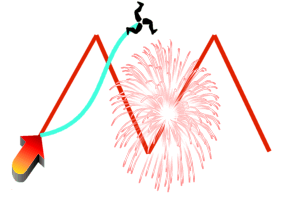
I found it was definitely better to draw my GIF designs in 16 million, and then convert it to 256 color when saving the design to GIF. This was a terrific exercise! I learned alot! Thankyou! So, as assigned, I did this graphic without using the Create As Vector (I do not have a clue what vector means...YET). I used Draw's "Point-to-Point" in red, then "Bezier Curve" in blue, both 4 pixels wide. Then I took 3 preset shapes, the arrow, fireworks and triske without doing any adjustments to them. Tadaaa! |

|
|