www.oocities.org/willydotnet
Inset Effects with Gaussian Blur
Gaussian Blur is one of the Blur Filter that can be very useful in creating inset effects on buttons and any web interface.
Button Inset
Create a new image and use the Ellipse Tool  to draw (Shift+Drag) a round button.
Fill it with any color you like and add a Bevel and Emboss style to it. You can further adjust the Bevel and Emboss setting.
Now add a new layer above the background but below the button.
Ctrl+Click on the Button's Layer thumbnail to select the shape.
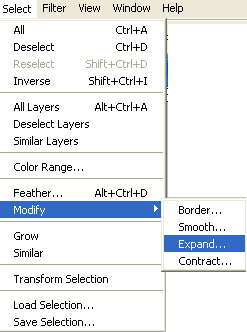
Go to Select > Modify > Expand. Choose 1px.
Go to Edit > Fill and select Black color.
Now Deselect the layer.
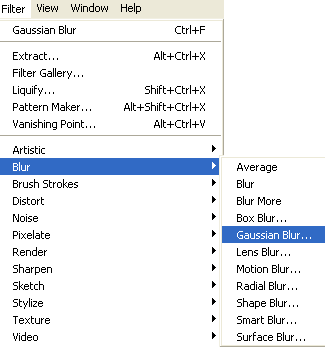
Go to Filter > Blur > Gaussian Blur and select a radius of 1px (you can also try other px variation too).
Use the Move Tool and move the black inset layer a little left and top in order to make it feels like an inset behind the button.
Here is my final result:-

↑ Top
----------------------------------------------------------------------------------------------------
Copyrights 2007 © WHMK