SoK's Chan "#kiseki" - Operators

SoK's Official Channel : #kiseki
 "Oh, you didn't know?!"
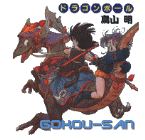
Gokou and Bulma and some, uh.. something : Remembers kids it's not nice to point shar metallic objects into people.. leave that to the pros, like Gokou!

Nick(s): Gokou28, Gokou-san
Age: 15
Mail: Gokou28@aol.com
Homepage: Does SnK ring a bell?
Location: What.. are you a stalker?! Err, if not; I currently live somewhere on Warwick. ^_-

Bio: Err, I'm pretty normal; and compared to a bunch of others guys on irc, I am! Eh.. kinda. Most of the time, I'm serious, but we can joke around once in a while ne? I like helping people out, and I don't kick/ban many people at all. I don't take over channels, and I don't act profane, and rude. I leave that stuff to the other guys.. mainly Rekka. XD That's all you need to know.. unless you are some sort of lurker or stalker O.o;.. Uh, yeah. :looks around the room: I think I saw somebody's head out the window.. so, gotta go run, get the bat, ah; you know the drill >;D.. Ja ne! (Ahh! XD)


How to connect to #kiseki

Follow These (Simple) Directions
1.| Of course download either mIRC (for PC's) or Ircle (for Macs).

2.| Add Planet Namek's server to the list of servers. Go to file, option, and click add on the first screen/the connect screen.

3.| ... Then type in irc.planetnamek.com on the "Add" screen in the box marked irc server. Follow the screen-shot.

4.| Click add, and press the "Connect to IRC Server" buttons. Voila, you should be connected to irc.planetnamek.com.. (Alternatively you could have typed /server irc.planetnamek.com on the status screen)

5.| Register your nick, if you don't want anyone else using it. Next join the channel by typing /join #kiseki : Or look through the list of room, and look for "#kiseki".

6.| That's it.. have fun!

 Any questions, problems, etc., check the faqs, or contact us.

Contents : Navigation
- Main
- FAQ
- Rules
- Operators
- Voices
- Regulars
- Java Chat
- Links

- SoK Main
#To Top