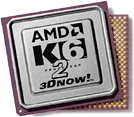
 STOP THE PRESS! Got to http://unirefresh.demonews.com/ctu/index.html For the BEST Tweak out there! Optimizing
the K6, K6-2 and K6-3 processors is not easy, but usually only has to be
done once and you are set.
STOP THE PRESS! Got to http://unirefresh.demonews.com/ctu/index.html For the BEST Tweak out there! Optimizing
the K6, K6-2 and K6-3 processors is not easy, but usually only has to be
done once and you are set.
Another popular program to enable write allocation
is from a German author called Andreas Stiller who writes for the German
magazine CT'. The
program can be downloaded all over the Internet including the 3Dfx support
site.
The program is freeware.
I use the DOS version of the program because
the windows version gives me an error.
I find the readme file hard to understand
and I speak German so here's dow I'd do it.
Download it and extract all files to the
directory on C:\ like AMD.
Click with the right-hand mouse button on
your autoexec.bat that directly on your C:\ drive and select edit.
In the autoexec.bat after everything else that's in there enter:
C:\amd\setk6d.exe /on:xxM
Hit RETURN after that line!
Enter the amount of RAM you have for xx that
is 64 if you have 64 MB of RAM the M is very important it won't work right
if you forget it!
Save the autoexec.bat and restart the computer.
Hit escape when the lovely Windows picture comes up to see what your computer
is doing in the background and shortly after the Starting Windows 9X appears
you should see some information and:
Write allocation is now ON up to XX MB RAM
Run some tests, benchmarks etc.
If you have a K6-2 or K6-3 I strongly recommend
you use the mxk6opt.exe (or one of UART's tweak programs) as well.
This program works to improve how the CPU
talks to the graphic card even more be making settings for the Line Frame
Buffer (LFB).
You can use Setk6 for this but I find mxk6opt
easier to use.
You can get it at www.3dnow.net
or www.3dnow.org under
the files section, there is also lots of info about the AMD there too.
Also check out the authors site at:
http://grafi.ii.pw.edu.pl/gbm/matrox/
Click on Utilities and files, it's hard to find, but it's there.
Go back to the autoexec.bat as above. Now
enter AFTER the setk6d the following call on a new line:
C:\amd\mxk6opt.exe
Hit return AFTER that line.
So in your autoexec.bat you have at the very
end
C:\amd\setk6d.exe /on:xxM
C:\amd\mxk6opt.exe
Save it and restart the machine. If mxk6opt
can improve LFBs it'll say something like improvement 50% or 65%.
Now benchmark and test and if anything causes
problems erase the mxk6opt line.
There are other programs out there that do
this but they are shareware and cost money.
You may have more success with Setk6 and
line frame buffers if K6opt doesn't work.
Other general optimization
possibilities:
Go to Dean's www.3dXtreme.org
site
(if his address has changed check our links section for the latest) and
read about his BIOS settings there.
There is a special setting in Cacheman
for 3D games and multimedia, which I use for my games and I have no problems.
Other graphic card info and tools:
http://www.sysopt.com/fastutil.html
Why are you here? To watch DVDs!
Choose:
What you need if
you want to watch DVDs on the PC.
What you need
to watch DVDs on a TV if you don't want use
a decoder card.
What you need
if you want to watch DVDs with a decoder card.
What you need if
you want to make a copy of a DVD to a video tape.
(This is not illegal for private use in Germany, see the law here).
Didn't find you you wanted?
Need more help? Mail me.