|
When the Exposure Counter reaches 20 (or 36) and you have taken that
last picture, you are ready to unload.
| 1. |
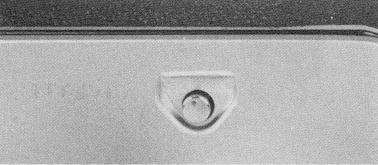 |
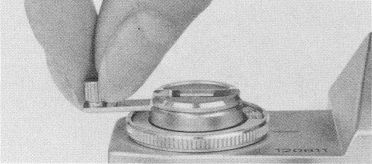
| BEFORE OPENING THE CAMERA BACK, push the Rewind Button IN,
unfold the Rewind Crank, and rewind the film (turn the crank clockwise)
until it is all back in the cartridge.
|
|
| 2. |
 |
| You will notice the crank is much easier to turn when all the film is
rewound, and the counter will be at "0".
|
|
When the film is completely rewound, open the back by pulling the
Rewind Knob out and remove the cartridge. Have the film processed as
soon as possible after exposing it. The Rewind Button will automatically
pop out when you reload and advance the film.
NOTE: If you are at the end of the cartridge and you feel tension
on the lever when advancing the film, do not force the lever, but proceed
to unload the film immediately. Excessive force on the film advance lever
can damage the film or cause the film to separate from the cartridge.
|
 Software and eBooks for your Palm-powered PDA.


