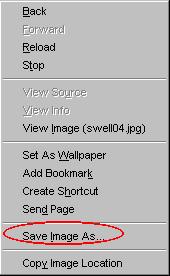
| 1. Right-click some where on the pic to
display a drop-down menu.
2. Click on Save image as |
|
| 3. Usually you will use the assigned name of the pic. Once you have decided where to store it, click on the Savebutton. | 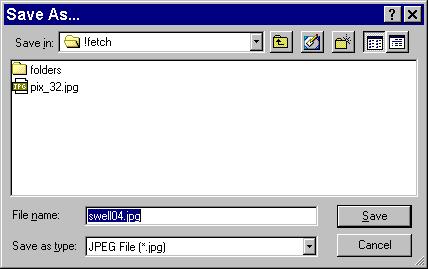 |
This site is always a mixed bag. Visitors may chat or post pix from sites that permit it. In recent months more web masters are forbidding off-site links. However, there are still enough pix to make a visit at night worth while. Most often the fare consists of twinks and chicken, but occasionally you will find other tastes represented.A. How to copy a pic from GSCR to your hard drive
If you have Netscape:
1. Right-click some where on the pic to display a drop-down menu. 2. Click on Save image as
3. Usually you will use the assigned name of the pic. Once you have decided where to store it, click on the Savebutton.
If you have Explorer...B. How to find the address (URL) of a pic to be posted in GSCR
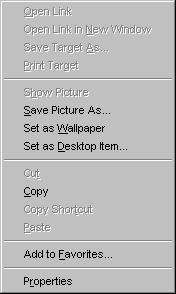
The operation is much the same but the words are save picture or save picture as.
To post a picture you must determine the URL or address of the picture. Depending on where you find it, you may find the URL in the Location Window. If it is one of many pictures on the pageB. How to post the picture
In Netscape:
Right-click any where on the picture and in the menu, left-click on Copy Image Location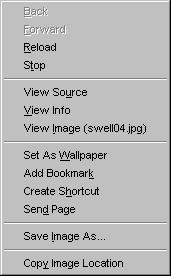
In Exploreryou need to perform two steps.
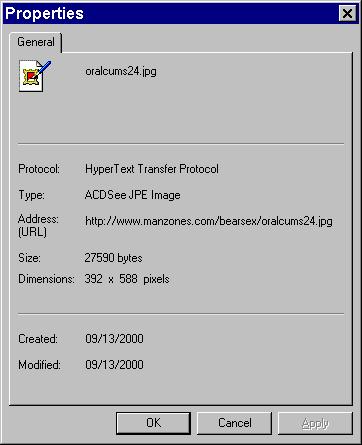
1) Right-Click on picture and select Properties2) You will have to copy the Address (URL) in the Properties screen
Type into the chat window the address with this format:C. Using URLs to get in the back way

Note the only space is between the g and the s in img src.
Once you have the URL for a specific pic, you can often use it to get into a site by the back way. To see how that's done click here.