| It isn't critical that you visit the closet
more than once every few days, because fortunately bianca keeps a log of
the chat.
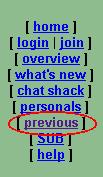
All you have to do to access the logs is to click on the word previous in the upper left corner of the window. |
 |
| In a moment a window will open showing an index of the available logs by date. | 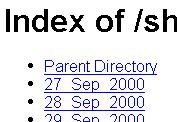
|
| In another moment the window will open to list the logs by hour of chats available for the day previously selected. Unless a particular hour has been quite profitable, I'll check every other hour. | 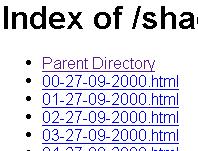 |
Once the log is open, you can of course scroll down looking for pictures, but that is quite time consuming. You might find the conversations interesting, tho. Assuming that the picture files will end in *.jpg, I search only for these.
To search for JPGs in Netscape
(it will be about the same for
Explorer):
| 1. Click on the word Edit in the command bar at the top. |  |
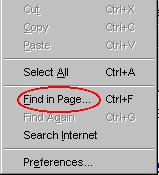
| 2. This will produce a drop-down menu. Click
on the words Find in Page.
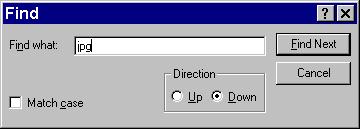
3. This action will open the Find
window. Enter the letters jpg in the little white window.
4. You can start searching by either clicking on the Find Next button or by simply pressing the <Enter> key on the keyboard. You can whizz through the text find find all the URLs for JPGs. |
|
Once you've found a URL that looks interesting,
you will want to look at the picture. The most efficient way of doing that
is:
| 1. Place the mouse pointer over any part
of the URL and right-click.
|
 |
| 2. In the drop-down menu that's produced left-click on the words Open in New Window. When you have finished looking at and maybe saving the pic, you can close the New Window and return to the place in the log where you were before. | 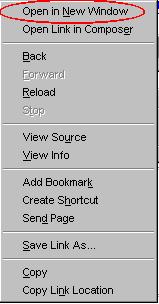 |
Once you have the URL you have accomplished
two things. First, you can save the picture and, second, you can use it
to hack into many sites using the back way.
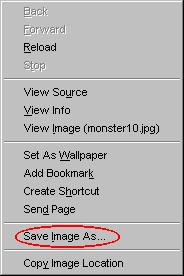
| To save the picture right-click and
in the drop-down menu that appears click on the words Same Image As.
To use the URL to enter the site by the back way click here. |
 |