Excel Tutor - Cyprus

Subtotals and Consolidate

This lesson explains how to use Subtotals and Consolidate. The following areas are covered:
1. Using the Consolidate Technique.
2. Using the Subtotals Technique.
2.1 Principles of the technique.
2.2 Sorting Data.
2.3 Adding subtotals for the first level of detail.
2.4 Adding subtotals for the second level of detail.
2.5 Copying the report to a new range by using the            GoTo / Special technique to copy only visible cells.

Subtotals - Examples


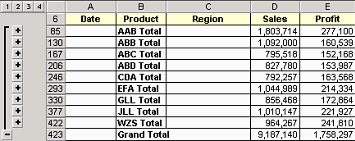
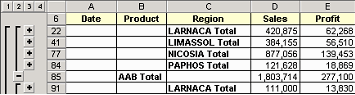
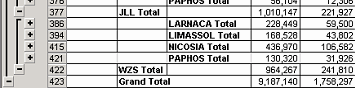
Subtotal Reports is another one technique (apart from Pivot Reports) that can be used to summarise lists. This method summarises data by level of detail and provides also Subtotals for each level. To understand this, see the figures below which show three Subtotal Reports. The level of detail is selected by clicking on the buttons at the left of the worksheet. Click here to see how these reports are created.

The above Subtotal report summarize data by the first (Total) and second (Product) level of detail

The above Subtotal report summarize data by the first (Total), second (Product) and third (Region)  level of detail

The above Subtotal report summarize data by the first (Total), second ( Product), third (Region) and fourth (date)  level of detail.

Home | Who Am I? | My Training Program and Examples

| Downloads | Links | Contact