(GafferOnGames: -"ok, cazy i’ll prove it via logic, just because i’m feeling a bit evil now..")
-"The Divine Comedy,
written by Dante Alighieri between 1308 and his death in 1321, is widely considered the central epic poem of Italian literature, and is seen as one of the greatest works of world literature.The poem is imaginative and allegorical vision of the Christian afterlife..."
| FPS
independence despite internal constant-fixed time
steps (Open Source - BULLET PHYSICS LIBRARY, Physics Symulation Forum) 4th and last
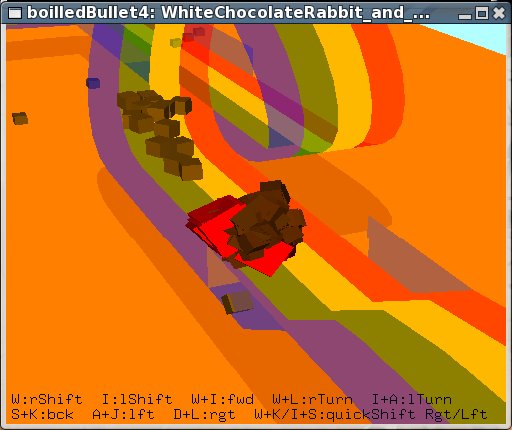
BoiledDownDemo - Katamari Damacy remake
>>"Bullet
simulation internally only supports constant,
fixed, non-varying time steps." i dont want to
question the ways Bullet does things, a) deltaTime=
1/40 ~ 1/90 stepSimulation(dt,
0) does it! 1.) 2.) 3.) and so in the
light of that, 1st answer was: thanks again, extended
question: c-2.) i find that is not the case on my computers, so i wonder if this is correct to say as well: - calling stepSimulation(dt, maxSubSteps>1, fixedTimeStep) with dt > fixedTimeStep is unsupported too, while dt <= fixedTimeStep is supported, so in other words - interpolation works, but extrapolation does not? (or the other way around) cheers, *** thread DELETED, banned ..what the?! *** |
Fix Your Timestep!
(GafferOnGames - Popular article used as Template
Implementation for "old algorithm with
interpolation")
Aug 30, 2008
>>”This
code handles both undersampling and oversampling
correctly which very is important. ”
- not really,
unless somehow you can make your physics calculations in
zero amount of time.. but, you seem to know that and call
it “spiral of death”
..i’m just saying you should remove word “undersampling” from the same sentence with word “correctly”
but then,
if we only deal with oversampling and, as you suggest,
design application for certain fixed time step - that
practically means we only deal with cases with extra time
or just enough time i.e low-end specs ..and so, why not
just sleep() or run empty loop till the right time
comes.. say we design app to sync with 60Hz, so we do
something like this:
while( dt < 1/60
)
getTimeSinceLastFrame( dt );
// dt= 1/60; <– might as well put this here
..then, continue as normal, as if it was on the low-end spec computer i.e. dt=1/60
in that case,
you dont really need all the interpolation stuff nor the
other stuff to fix the problems with former ..simply,
there is no need to render more frames than you already
designed your app to work on - use that extra time to
render additional features for high-end machines on
high-detail video setting
Aug 30, 2008
>>”..but
at least its theoretically correct”
- not really,
unless there truly is such thing as ‘correct theory’
that does not work in practice
>>i
shipped this technique in “freedom force” from
irrational games..”
- then it is an example how it does not work - scrolling
speed goes from fast at the edges of the map to slow and
jerky depending on the scene complexity and number of
moving objects
not that it matters much as i see the game scored “Outstanding” 9.3 on IGN, congratulations!
cheers
Aug 30, 2008
>>"i
fail to see how the game not making framerate has
anything to do with the time stepping algorithm -
although perhaps its the lowpass over delta time that
shipped in freedom force, which is most certainly
theoretically in-correct ..as to oversampling /
undersampling i believe we are most likely talking about
two different things,
or you failed to understand the concept in the article properly."
- ok, let me understand undersampling..
a) how did you test
undersampling while developing “freedom force”?
b) what would be the best way to observe the effects of
undersampling in “freedom force”, how to put the game
in extreme case scenario where effect is most obvious?
cheers
Aug 30, 2008
>>"importantly,
the “sampling” is the renderer displaying a frame -
not the physics running,
so it may be the opposite of what you have in your head"
1.) in the article:
>>”Undersampling is where the display
framerate is lower that the physics framerate, eg. 50fps
when physics runs at 100fps.”
2.) and now this:
>>”undersampling is what happens when
your display is capable of rendering faster than 60Hz,
and you disable vsync (the game runs physics internally
at 60Hz…)”
slower, faster..
which one is it then?
Aug 31, 2008
undersampling,
everything i say/said concerns only “undersampling”,
as you define it..
anyway,
let’s return to this question then:
1.) what is the practical case scenario of undersampling
you’re trying to account for with your algorithm?
2.) when do we observe such case and how is it different
with undersampling on/off?
..in other words,
what hardware, driver settings, game setting or whatever
else circumstances will lead to occurrence of
undersampling in, say “freedom force”?
cheers
Sep 2, 2008
>>"ok
you’re kindof missing the point here, the idea is..
..maybe
i should turn this around, what is your actual question
here?
what exactly are you proposing that is better than
this?"
- i'm just saying that undersampling does not
quite work “correctly" ..at first i thought that
was in agreement, but then it turned out to be a matter
of interpretation ...the rest was to define
"undersampling" in more practical terms,
something like this:
# simFixedStep
(fixed simulation time step)
# deltaTime
(time used to render last frame)
eg. A)
slow computer + max. game settings + complex scene
geometry + many moving objects =
"undersampling", practically it means:
--------------------------
deltaTime > simFixedStep
--------------------------
..say, real-time
measurement shows less than 60FPS and our constant,
built-in simFixedStep= 1/60 seconds
..where expected result is to keep simulation frequency
at steady, fixed rate regardless of 'deltaTime'
but really,
we have situation like this:
# anmDT
(time used to render the whole scene once)
# simDT, N
(time used to complete one simulation step, number of
iterations)
# deltaTime= (simDT * N) + anmDT
(time used to simulate and render last frame)
although obvious,
this may pass unnoticed - "undersampling" is
theoretically and practically only possible if the time
to execute one simulation step is smaller than the fixed
time step being simulated ..in a real-time that is
[MISSING-REPEAT]
..another example,
maybe illustrates transparency of that oversight
better... lets take a case of high precision simulation
where undersampling is intentional...
eg. B)
target animation speed is ~60FPS, but we're doing
high-fidelity simulation and thinking about some small
fixed time step like 1/400 ...better watch out the time
to complete one simulation step does not get close to
0.0025 seconds, whether you are render-bound or not..
- fixedTimeStep = 1/400
- target animation speed = 60FPS
1.)
we run the test and read:
- 75FPS
- deltaTime= ~0.0131 sec
inside the loop:
- simDT= 0.0014 sec
- anmDT= 0.0059 sec
- undersampling x5 - x6
- simulation 397Hz-403Hz
------------------------------------------
so, we go on to optimize our rendering as we usually do,
by some chance greatly succeed and cheerfully increase
number of objects and interactions...
2.)
we run the test and read:
- 62FPS
- deltaTime= ~0.0162 sec
inside the loop:
- simDT= 0.0021 sec
- anmDT= 0.0026 sec
- undersampling x6 - x7
- simulation 396Hz-403Hz
------------------------------------------
FPS looks good, but
..we're only 0.0004 seconds away from "spiraling to
death" or let clipping chop the overflow every so
often.. interestingly, on a fast enough CPU but with
crappy video card FPS could drop down to 1 and simulation
still manage to keep up with real-time producing only
"less-dense" animation, while on 'just a bit
slower' CPU it would probably appear as slow-motion
and/or choppy regardless of ultra fast GPU it might have
...there are few
questions,
in design-time at least - how cheap each simulation step
really is and how does it scale with the number of
dynamic objects... is there a point where it is much
faster to render large number of objects than to
calculate all the physics, collision and response.. at
the end its a bit like 'division by zero' and the real
question is - how to handle it?
to all that i proposed
nothing really.
however... let me now observe that a switch in fixed time
step, in the above example, from 400Hz to 200Hz solves
the problem and both machines would be happily
undersampling while managing over 100FPS and sometimes
maybe even oversampling above 200FPS still in a fixed
time steps ..in case different simulation stepping is not
an option we can still give up real-time, keep precision
and slow everything down, but rather than with
overflow/capping we could make it smoother and
artificially decrease 'deltaTime' ... 3rd option would be
at design time to keep simDT low and split objects to
low-precision and high-precision, where more random or
less important interaction like flying debris can be
updated at 30Hz, while your vehicle physics could still
be updated at 400Hz ..similarly, fast moving objects
require higher precision while slow ones can do as good
with low update frequency..
Sep 3, 2008
>>"plus
i don’t see where you are interpolating render state
between two sim states -
are
you doing that?
do you understand why we need to do that?
do you understand what temporal aliasing is and why we
need to do the interpolation?"
- no, im not doing that,
i understand interpolation is some kind of "final
touch" thing and not required for code to >>"handles
both undersampling and oversampling correctly which very
is important. " ..so i do not see of what
relevance is that in regard to the problem of
undersampling and "spiraling to death"?
..actually more i look at it - it more feels "out of the place" ..what is this "State", in what units is it, if i use Physics library like Havok, PhysX or Bullet what does "State" correspond to?
>>”your technique is not identical to mine..
this
violates the desired constraint of this article,
that you are always stepping forward with a fixed dt”
- well, call me crazy,
but that interpolation you're talking about seem to goes
against all the desired constraints of your article - it
actually changes the "state" outside of fixed
time steps, no?
>>"..you
are render bound, not simulation bound"
- that is not true,
it only makes it more likely, i explained everything..
if you can find a flaw in that logic, by all means,
please do let me know
cheers
*** messages DELETED, huh?***
| Weird PhysX
Tips - Trade off fixed timesteps? (Open Source - BULLET PHYSICS LIBRARY, Physics Symulation Forum) Sep
4, 2008 - is this common
thing in Physics Engines? - but the most confusing is why would subSteps be responsible for anything like that? thank you Sep 4, 2008 anyway, here's
what i think... you must be right, and if all this is true, "moon gravity effect" SHOULD NOT be related to gravity or any other forces, it would affect everything as it practically just causes less number of simulation steps per real-time second and with fixed time step that simply means general "slow-down" - as you said, but the byproduct might also be a drop in FPS all too sudden as time to execute stepSimulation() approaches fixedTimeStep so i think
"maxSubStep" is wrong way to go about
it, i propose 2
solutions, thanks Sep 5, 2008 not me
unfortunately, so it took me quite some time.. there is even an "emulator" i made of that algorithm and you can see how bad it works in some particular cases, also you can compare it to one of my "half-solutions" algorithms and note how fpsTensor variable in my solution does a much nicer job without introducing any capping or any MAX. number of anything.. does that make
sense? Sep 5, 2008 ..and it works! here is
quick-hack Bullet implementation of the algorithm
i was talking about... ...re-compile
and voila ...no more moon-walking! +++ put this
anywhere in above code to print some stuff: does that work
for everyone? *** messages DELETED, banned ..what the?! *** |
-"Goethe's Faust,
the story concerns the fate of Faust in his quest for the true essence of life. Frustrated with learning and the limits to his knowledge and power, he attracts the attention of the Devil (represented by Mephistopheles), who agrees to serve Faust until the moment he attains the zenith of human happiness, at which point Mephistopheles may take his soul..Finally, having succeeded in taming the very forces of war and nature Faust experiences a single moment of happiness. The devil Mephistopheles, trying to grab Faust's soul when he dies, becomes frustrated as the Lord intervenes – recognizing the Value of Faust's unending striving."
-"Vi Veri Veniversum Vivus Vici"
Seraphim and Nephilim, the chronicles
----------------------------------------------------------------------------------------------
