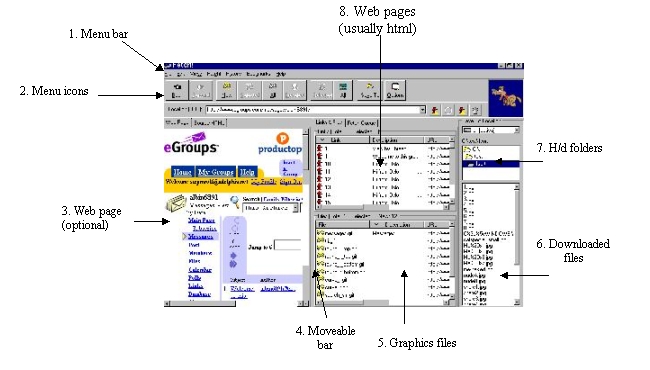
1. Menu Bar I rarely use this because there are easier ways to get things done.2. Menu Icons (with location window)
 This is where things really get done 1 - 2 -3! While we'll go into these steps in detail, the procedure can be explained very briefly in these steps:2.1. Copy the URL of the page from the eGroups window
2.2. Paste it into the Location window here
2.3. Click on the first fire hydrant next to the input window, which tells Fetch! to look for that page on the web
2.4. Select the pages that might contain graphics in section 8, above
2.5. The dog runs a while while the program analyzes the pages you selected, placing the pix it finds in section 5, above.
2.6. Select the graphics you want in section 5
2.7. Click on the Selected icon and wait
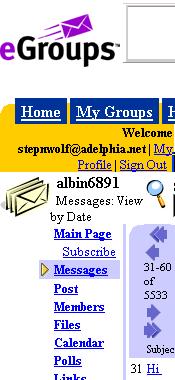
3. Web page and 4. Movable bar This portion of the Fetch! window is optional. It is handy when you enter eGroups for the first time with this application. You can also find links that are obscure section 8, above.You can also adjust the since of the visible page by clicking on the movable bar (see first illustration), holding down the mouse button and dragging it horizontally.
5. Files window

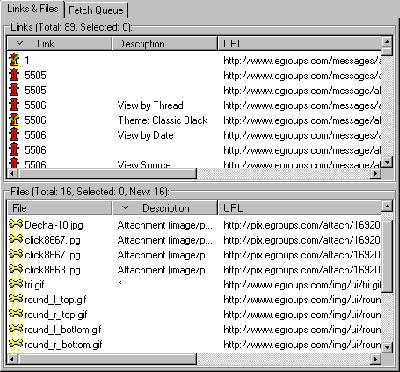
As Fetch! finds files of the type you're looking for they are listed in this window. Clicking on any of the portion of the bar will alphabatize the listing by the element you clicked on. In eGroups, you'll click in Description, which will bring all the "Attachments" together. These are the graphics you're looking for.
6. Downloaded files and 7. Hard drive Folders
This will show you the files in the folder you have selected in the window labeled 7 in the illustration above.
7. Web Page window When the Links & Files tab is clicked, you can see the web pages pages in the top window and the files in the bottom.When the Fetch Queue is clicked you can watch Fetch! work, seeing what is being worked on at the moment and what is yet to be done..
Faq 9: Fetch! in eGroups
page 1: Home
page 2: The Fetch! screen
page 3: Logging on to eGroups
page 4: Picking a screen
page 5: Getting the files