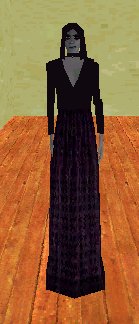
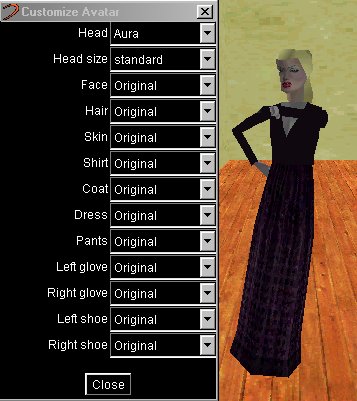
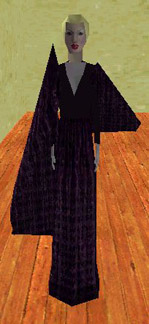
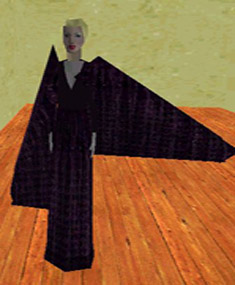
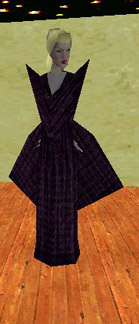
This is somgirl. She is a standard Worlds avatar. Open your ini file. Her code will look like this:
VIPAVATAR=avatar:somgirl.rwg
In the line above locate the letter L . It will be followed by the letter c . Insert 1dGnightglyder That part of the code should now look like this:
PdBa0bLc1dGnightglyderMcOaRc
You will now need to go to File up in the top left of your .ini file and Save this change, once done you will need to TELEPORT to activate the change.
To finish the wing cape you will need to find the letter R . It will be followed by the letter c . Insert 1dGnightglyder after Rc . That part of the code should now look like this:
PdBa0bLc1dGnightglyderMcOaRc1dGnightglyder
You will need to Save this change and to TELEPORT just as you did for the first wing cape change.
In order to alter the shape of the wing cape you will need to add sizing code.
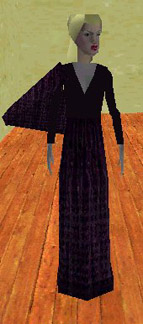
Sizing code always starts with a capital S it is then followed by three letters; these letters can be either capital or lower case, depending on how large or small you want to make each dimension. zzz is the smallest dimension and ZZY or YZZ is the largest. To make the left wing cape look like you see in the picture you will need to add SDZZ after Lc1dGnightglyder. The code will now look like this:
PdBa0bLc1dGnightglyderSDZZMcOaRc1dGnightglyder
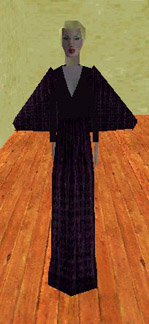
This is one more example of sizing a wing: SZOO has been added following Rc1dGnightglyder. The code will now look like this:
PdBa0bLc1dGnightglyderSDZZMcOaRc1dGnightglyderSZOO
You can try various combinations of letters to see which one you prefer...
for example Szzz... SzHz..... SMMa... and so on. (you can no longer use SZZZ substitute SYZZ or SZZY its nearly the same)
Up until now your avatar cannot leave the ground. In somgirls' case she will never really fly, only hover. I find that birdie is a good choice for her as it is the prettiest look. Find the letter P . It will be followed by the letter d . Insert Gsomgirl after the Pd . Now go to the beginning of the line of code, you will see somgirl:
VIPAVATAR=avatar:somgirl............. Highlight somgirl and overwrite it with birdie.
The line will now look like this:
VIPAVATAR=avatar:birdie.0EC__C__C__T5somgirlT4somgirlC__PdGsomgirlBa0bLc1dGnightglyderSD ZZMcOaRc1dGnightglyderSDZZUcVaNS000GauraQaHDgT2auraT3T2T1Q0f.rwg
You will need to Save this change and TELEPORT the same as you have been doing for all of these changes.

