Opposing Force
Counter-Strike
Team Fortress
Counter-Strike
Console Commands
AS Maps
Objectives:
Terrorist
- Assassinate the VIP and prevent him or her from escaping
Counter-Terrorist
- Protect the VIP and escort him or her to the VIP Escape Point
In AS maps, one player on the Counter-Terrorists starts out as the VIP. The VIP is randomly chosen at the beginning of every round. Terrorists have to make sure the VIP doesn't escape by assassinating him or her. Counter-Terrorists have to protect the VIP and escort him or her to the VIP Escape Point. They can also win by defeating the whole Terrorist Faction. The VIP has a unique skin, only carries a knife and pistol, and has 200 armor. The VIP cannot buy or pick up anything. Certain weapons cannot be purchased by each team. They will be grayed out on the weapons menu. It's best for Terrorist to guard the VIP Escape Point since they win anyway if the VIP doesn't escape. You will know if you're in the VIP Escape Point if you see a small green "V" icon on the left hand side of the screen.
 |
When this icon appears on the left hand side of your screen you are in the "VIP Escape Point". |
CS Maps
Objectives:
Terrorist
- Prevent the Counter-Terrorist from rescuing all the hostages
Counter-Terrorist
- Rescue all hostages
In CS maps, Counter-Terrorists have to rescue all the hostages by finding them and bringing them back to the Hostage Rescue Point. In all the maps that I've played, there are always four hostages. In some maps, there may be more than one Hostage Rescue Point. Most of the time, one of the Hostage Rescue Points is near the Counter-Terrorist start location. Once you find a hostage, (usually dressed like a scientist) go near him and press the "use" key, ("E" by default). Make sure you're facing the hostage when you do this. After you press the "use key" on a hostage or on several hostages, they will follow you until you press the "use key" on them again or when you escort them back to the Hostage Rescue Point.
Terrorists have to prevent Counter-Terrorists from rescuing all the hostages by leading them somewhere else and protecting them. Press the "use key" on a hostage to make him follow you. Even though you're on the Terrorist Faction, don't think that you can kill a hostage and not be penalized. Anyone on either team who kills a hostage will lose $ . A small "R" icon will appear on the left hand side of the screen if you're in the Hostage Rescue Point.
NOTE: You can make more than one hostage follow you at a time.
 |
When this icon appears on the left hand side of your screen you are in the "Hostage Rescue Point". |
Objectives:
Terrorist
- Plant the bomb
Counter-Terrorist
- Prevent bomb from going off
In DE maps, Counter-Terrorists have to prevent the bomb from going off. They can either eliminate every player on the Terrorist Faction, or defuse the bomb, if planted. If the bomb is planted and if it's not too late, you can defuse the bomb by standing next to or on top of it and press and hold the "use" key, ("E" by default) while facing the bomb. Once the bomb is defused, Counter-Terrorists win even if there are still players alive on the Terrorist Faction. It's best if Counter-Terrorist defend the bomb area itself, or the bomb area entrances.
One random player on the Terrorist Faction will start with the bomb. That player will need to plant the bomb in one of the bomb areas. You will know if you're in the bomb area if the bomb icon starts flashing red on the screen of the player with the bomb. To plant the bomb, press "5" to select the bomb. Then press and hold the left-mouse button. When the bomb is planted, make sure no Counter-Terrorists defuse it by guarding the bomb. Don't guard it too long though or you might blow yourself up. Default C4 Timer is 45 seconds.
When the bomb is planted, all players near the bomb will hear a beeping sound. It will start out with a series of slow beeps and then speeds up as it's about to blow. The faster it beeps, the faster it's gonna blow. So if you're near the bomb when you hear really fast beeps, GET OUTTA THERE!!
 |
 |
When you have the bomb and the icon on the left hand side of your screen flashes, you are in the "Bomb Site". |
 |
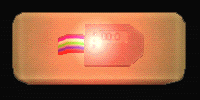 |
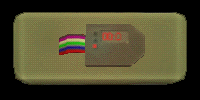
A bomb that is planted will start to flash and make a loud beeping sound. |
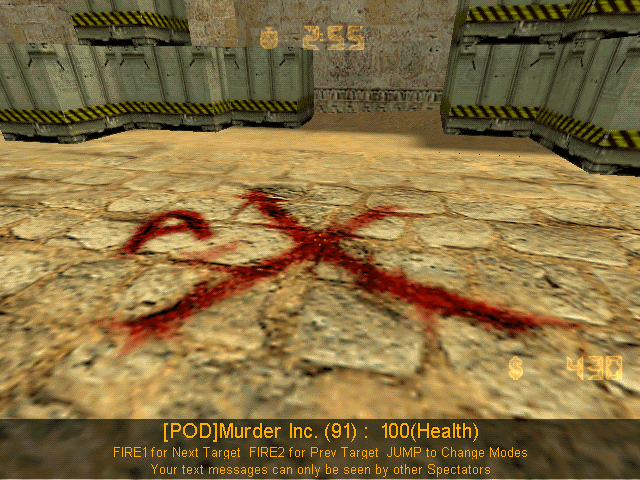
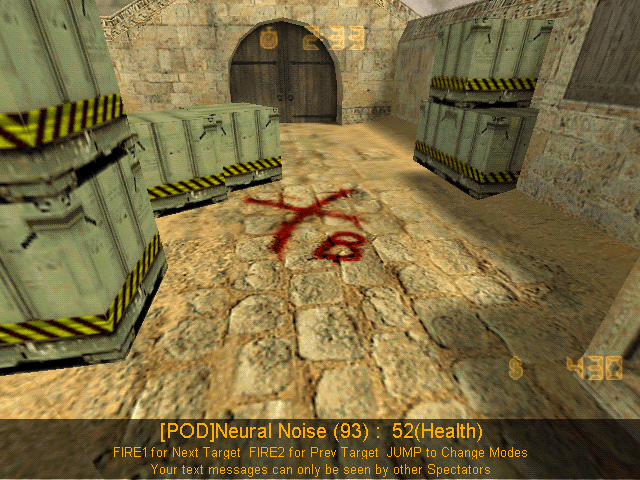
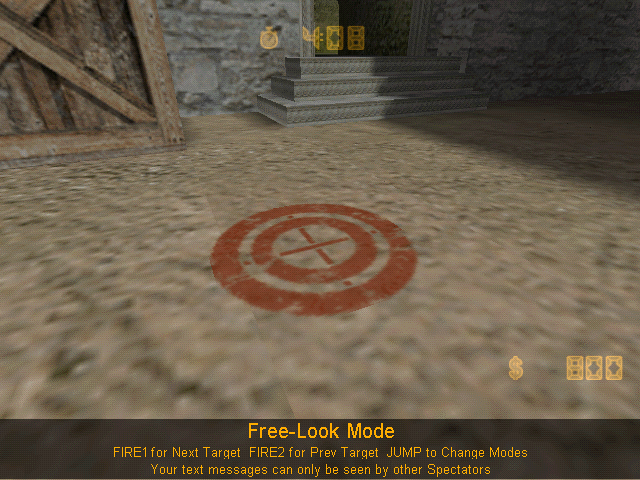
| Some Bomb Sites will be marked with an X. Most Bomb Sites will be marked with two circles with a cross in it. | |||||
 |
 |
 |
|||
|
|||||