Bullet Points < UL >
There will be times you wished you knew how to add bullet or numbered points to your Web page. Well there is a very simple way to do this and not add any additional memory to the page. Of course there you could add a bullet from an Image file you own, and I’ll show you that in a bit, but first I’d like to show you a few tricks with some HTML tags.
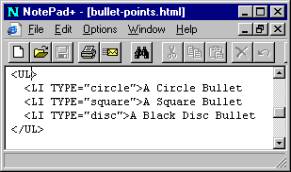
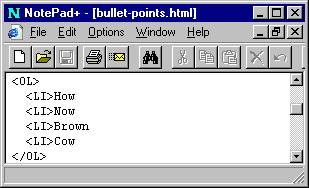
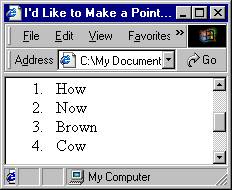
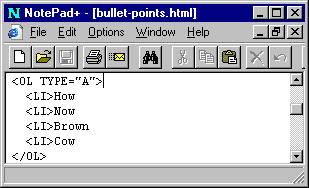
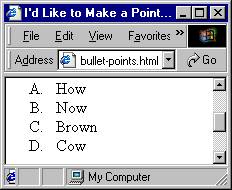
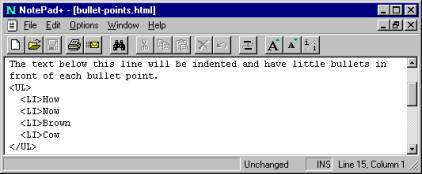
In Notepad, copy the text you see below. Load it into your browser and you will see a bullet list; notice that the listing is indented just as if a Word processor had created the file for you.
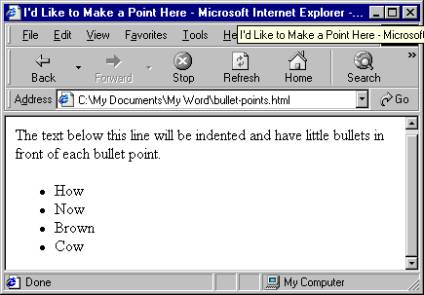
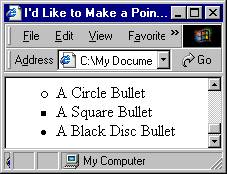
Ok, so now you know how to make neat little bullets, but you find the little black dots not to your liking, you’re thinking that squares might be better, or maybe little donut circles.
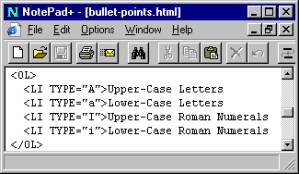
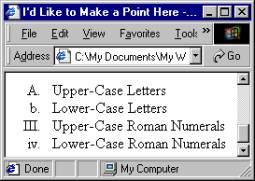
Not hard to do, it just a matter of telling the browser to change the look of the bullets. Here’s how. In the < UL > or the < LI > tag write the following additional code. < UL TYPE="square" > or < LI TYPE="square" > . Here is another style: < UL TYPE="circle" > or < LI TYPE="circle" > . To get back to the little dot, write: < UL TYPE="disc" > or < LI TYPE="disc" > . If you type the code into the < UL > tag the effect applies to all the bullets.