
Cabinet
 Introduction
 |
 Computer
 |
 Cabinet
 |
 Monitor
 |
 Control Panel
 |
 Finishing Touches
 |
 Final Product
 |
 Costs
Costs |
 Credit & Thanks
 |
 Useful Links
 |
|
Future Enhancements |
| Questions? Feel free to e-mail me. |
As luck would have it, I had a great contact for this part of the project: my uncle George! He works for a company that repairs vending machines, so when I started scheming this whole MAME thing, I asked him if it would be possible to get a non-working cabinet, and that it didn't even need to have anything inside. After a short time, he found an old Missile Command cabinet for me that was in great shape! It had been converted to HyperSports, and was in amazing condition for a 20 year old machine!
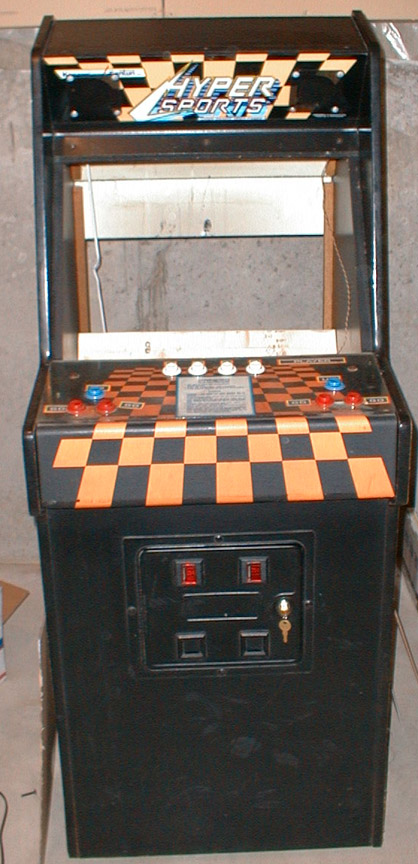 |
Left: Original cabinet I received. | 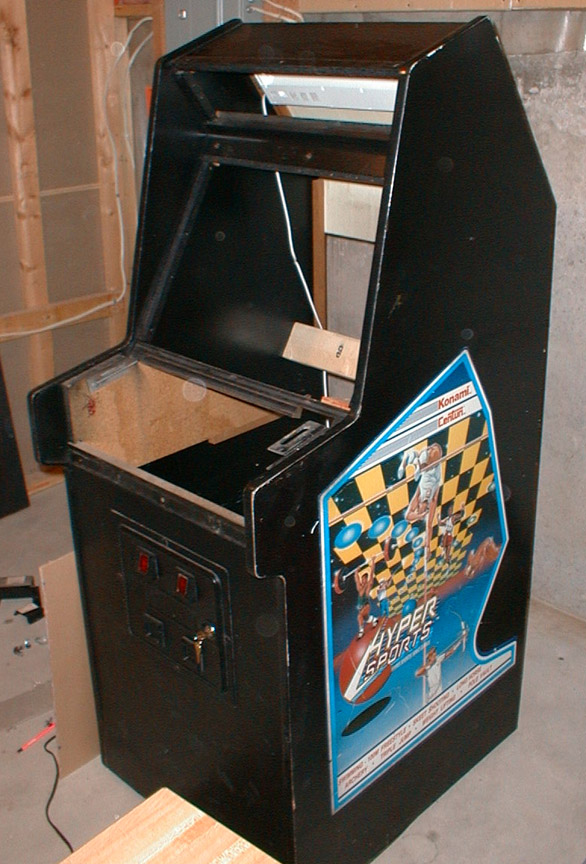 |
| Right: Cabinet gutted out. |
This is a 3/4 full size machine, so it wasn't as large as I had originally planned. However, it worked out for the best! The opening for the screen was almost perfect for housing a 17" monitor, so it didn't look out of place in there (yes, there would be room to upgrade to a 19" at some point if I wanted to). It is only 24" wide as opposed to the standard 29-30" which made the control panel design a bit interesting, but I figured out a way to get everything on there that I needed. Also, since it's a little smaller it doesn't take up as much space down in the rec room, which definitely made my wife happier (she thinks it's too big already!).
I've had a few people ask me for dimensions of this cabinet in the past - so I've finally decided to put them up here. These are the dimensions of the original cabinet only - the control panel I put on there sticks out a bit and is a little higher. If you're looking to make your own, you may want to alter the size of the control panel box. I'd also recommend another 2" width, but it's entirely personal preference. Just click on the following link for the diagram. Dimensions diagram.
 |
 |