Starting the Page
Think of a Web page as looking something like a letter that you might write someone. It will have a beginning or HEAD portion, a middle or BODY portion, and an ending or CLOSE. So let's see these codes.
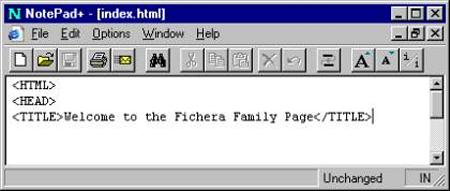
Start your page with: < HTML > This is short for Hypertext Markup Language.
Next start the heading: < HEAD > A place for some important information to reside.
Add a Title to the page: < TITLE > This is what will appear at the very top of the screen.
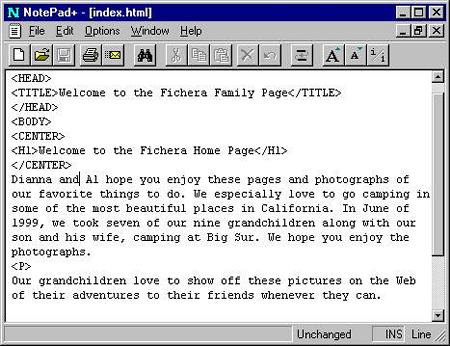
Notice that I've added a Welcome message then I told the browser that I was done by typing another TAG called < /TITLE >. The forward leaning slash [/] in front of the word TITLE tells that I'm done with the TITLE and let's go on to something else.
Please note: I'm using a very special version of Notepad that I found free on the Internet, it looks quite different from your plain looking Notepad. If you would like copy of this software, I have a link on my Web Page Design section that you can use to get it for yourself. http://profal.com
Now let's close the HEAD section: < /HEAD > There are other things we may add here later.
And start the BODY of the page: < BODY > Everything from here on will be shown on the page.
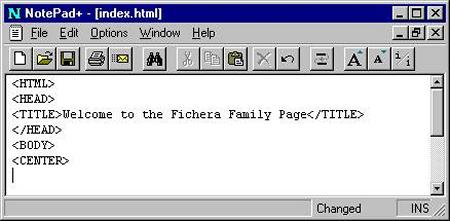
I would like to center something at the top of the page so I'm going to add another two-sided tag to make it happen. Right past the < BODY > tag type:
This is the tag that centers, < CENTER > it must be closed as soon as you need to stop centering things.This tag has been deprecated, which means it’s been replaced by something much better.
If you are centering text in a paragraph, you could use the following tag: < P align="center" >
. If you are centering anything else, you should use the division tag, for example: < DIV align="center" > < /DIV >.
Let's type a Welcome message to the world in a very large size with space all around it, top and bottom. The special tags for this will be HEADING tags; there are six (6) of them. The largest will be one (1) and the smallest will be six (6). To write this tag all we need is the letter H and a number for the size. Type the following below the new < CENTER > tag:
A large heading here: < H1 > This will appear to be about ½ inch tall or so on the screen.
Next type a nice but short welcome to your page, then close both the < /H1 > and the < /CENTER > tags with a forward leaning slash.
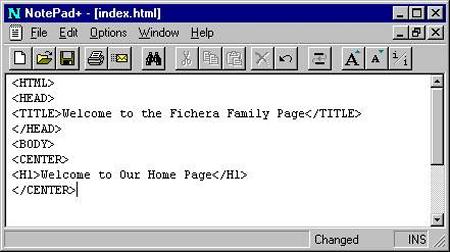
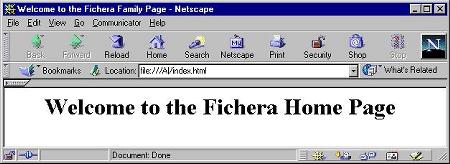
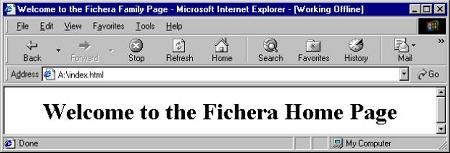
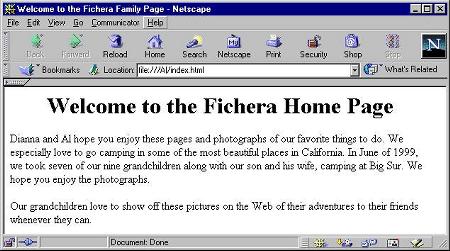
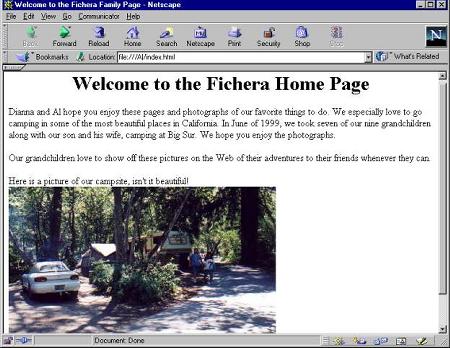
So there you are, the great new beginning! Notice that both browsers look very much the same. They are showing the < TITLE > tags at the very top of the screen and a nice large welcome message.
Page 1 Page 2 Page 3 Page 4 TOP