Working with images and borders.
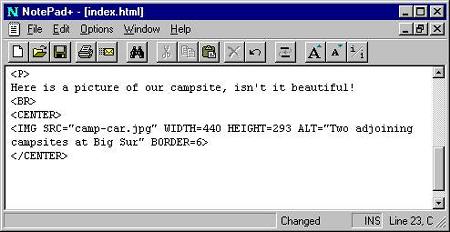
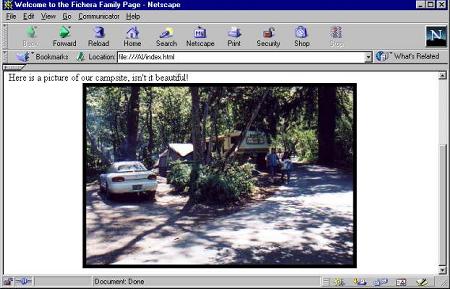
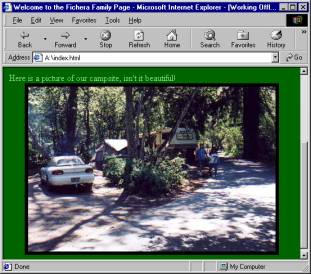
In the IMG SRC tag let’s put a BORDER="6" inside. Also, let’s add the two-sided < CENTER > tag before and after the Image tag. Remember, even though the CENTER tag still works you should use this tag instead: < DIV align="center" > < /DIV >.
There are a few more things you might like to do to this page before we call it done. You are asking how do people make their pages in color or perhaps use special images in the background? It’s easy once you know how! Let's do the easiest of all first, change the color of the page to something other than white. There are quite a few colors that both browsers know by just the name of the color, such as red, gold, blue, salmon, pink etc. but most of the designers of Web pages use something else to get all those great colors. We use a numbering system called HEXADECIMAL, it’s a series of three sets of two numbers or letters that describe the three basic colors of RED, GREEN and BLUE. I’ll have a special chart for you later on so you can pick any color that pleases your little heart! For now we’ll use just the name of the color in the < BODY > tag. So let’s give it a try.
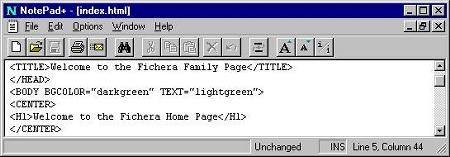
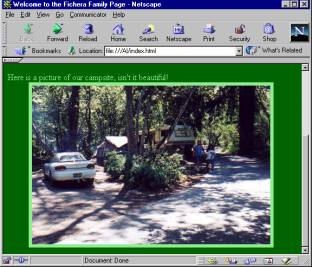
Change the body tag: < BODY BGCOLOR="darkgreen" > This very dark background color makes the text to hard to read, so let's change the color of the Text.
So let’s add the TEXT color to the body tag as well: < BODY BGCOLOR="darkgreen" TEXT="lightgreen" >
Let’s finish this page with the closing tags. Later we will learn how to add more pages to the Web site and link them to each other. It will be a snap! Type the following at the end of your page:
This closes the BODY < /BODY > This tag puts this page to rest with all the browsers.
This closes the PAGE: < /HTML > This tag is the proper way to finish a Web page.
Although these tags, if missing will still make the page work, it’s just good practice to close all two-sided tags before you end the page.
If you are checking this in both browsers, you will notice a real change in the way each treats the new code. Netscape changes the color of the BORDER around the image; Internet Explorer does not. At this time we decide to leave everything the way it looks for now. We may change our minds later.
The next lesson will teach you how to add a special background image to the page instead of just one color. We will also learn how to change the look of the text with its three properties, Type Face, Color and Size. Then we will learn how to Link to additional pages on the Internet and those you’ve created yourself.
So sit back and enjoy your efforts for now! When you’re through resting, I have several more chapters to read, each deals with a specific part of Web page construction. I hope you get to read them and practice the principles shown; it’s the best way I know of to learn HTML.
Page 1 Page 2 Page 3 Page 4 TOP