|
|
NOTE: All scans were done with CDRWin Version 3.6A
| Step 1 |
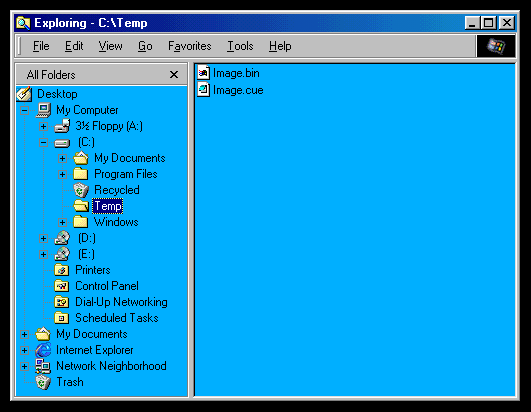
Unarchive, Move, or Copy the *.bin and *.cue files into a Temporary
directory.
| Step 2 |
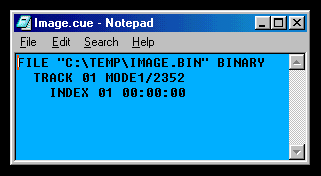
Open the *.cue file with a text editor (Notepad) and modify the
*.bin PATH to reflect the current location ie: C:\Temp\*.bin.
| Step 3 |
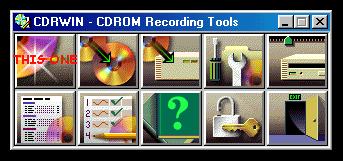
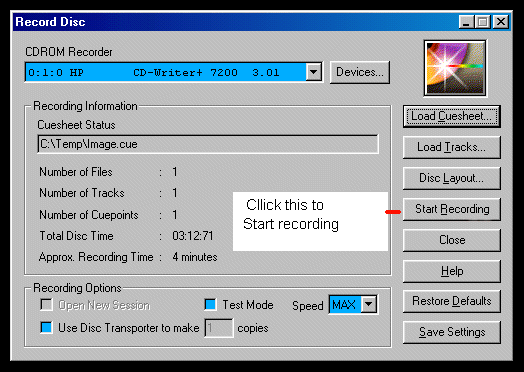
Launch CDRWin and select "Record Disk".
| Step 4 |
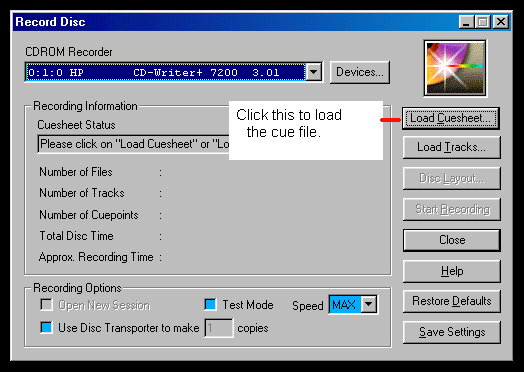
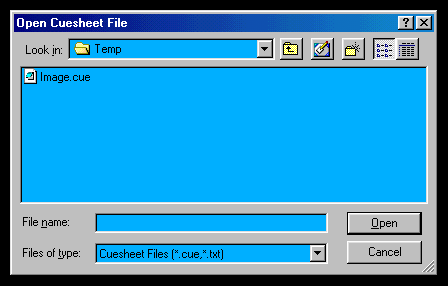
Click "Load Cue Sheet".
| Step 5 |
Browse to the directory where the *.cue sheet is located.
| Step 6 |
Click the"Start Recording" button.
| Step 7 |
If you get a recording ERROR, double-check your PATH
in the *.cue, and make sure you have a blank CD in the burner .
|
| | | | | |
|
